
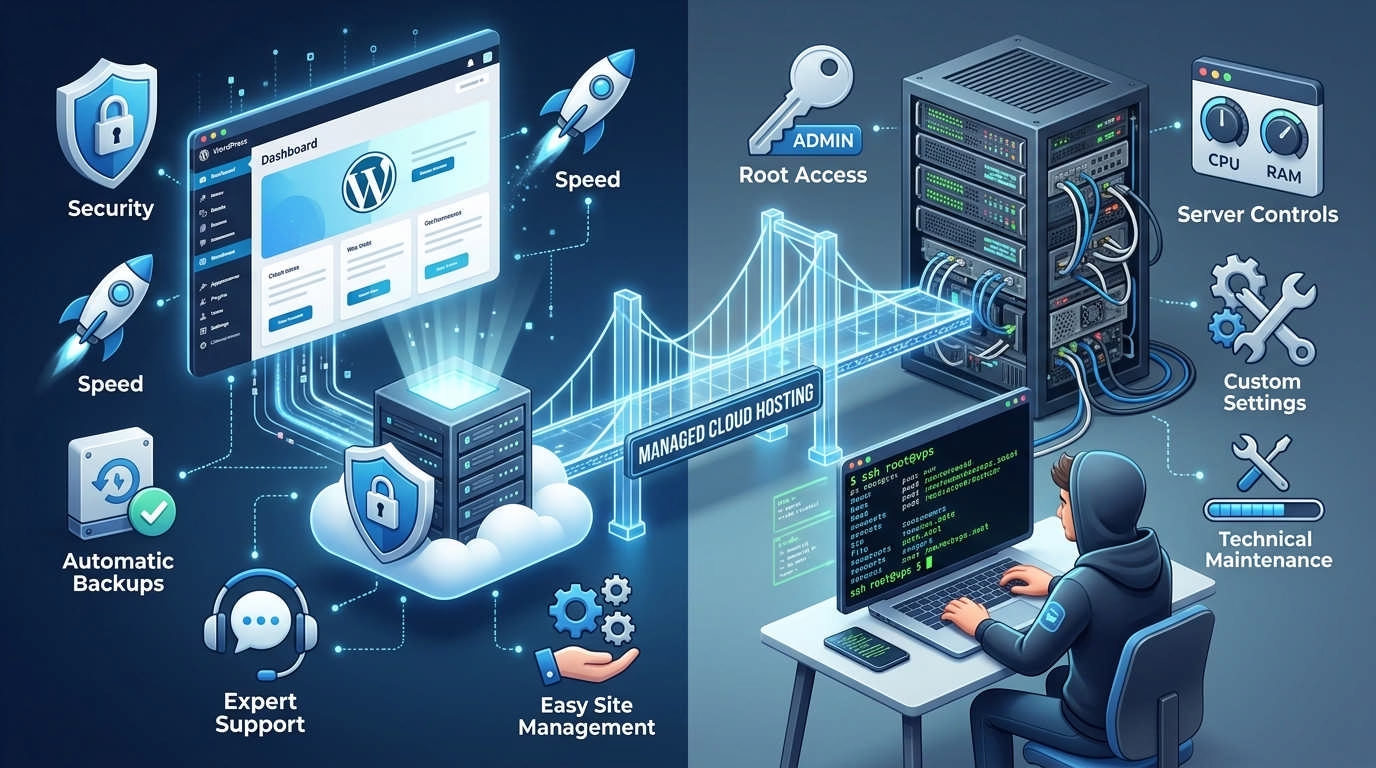
Choosing between managed WordPress hosting vs VPS comes down to one question: Who will manage your server?
Managed WordPress hosting handles most technical work for you. A VPS gives you more control, but you must maintain it. If you want cloud resources without managing a raw server, Cloudways offers a practical middle path.
This guide compares speed, cost, security, support, and control. By the end, you will know which hosting type fits your site.
Managed WordPress Hosting vs VPS: The Short Answer
Choose managed WordPress hosting if you want a simple setup. Your host handles many server tasks. These often include backups, caching, security, and updates.
Choose an unmanaged VPS if you need full server control. You should also know how to manage Linux, security, databases, and backups.
Choose managed cloud hosting if you want more control without all that work. This is where a service such as Cloudways can make sense.
At-a-Glance Comparison
⚡ Hosting Comparison: Managed WP vs Unmanaged VPS vs Managed Cloud
Find the right fit for your needs| Feature | Managed WordPress Hosting | Unmanaged VPS | Managed Cloud Hosting |
|---|---|---|---|
| Ease of use | Very easy | Hard | Moderate |
| Server control | Limited | Full | Partial |
| Root access | Usually no | Usually yes | Usually limited |
| WordPress tools | Built in | You install them | Often built in |
| Server updates | Host handles them | You handle them | Provider handles most |
| Backups | Often included | Manual setup | Usually available |
| Security setup | Mostly handled | Your job | Mostly handled |
| Scaling | Plan-based | Flexible but manual | Often simple |
| Best for | Beginners & businesses | Developers | Growing sites & agencies |
| Time required | Low | High | Low to moderate |
Best Choice by User Type
- Beginner: Managed WordPress hosting
- Busy business owner: Managed WordPress hosting
- Developer who needs root access: VPS
- Growing WordPress site: Managed cloud hosting
- WooCommerce store: Managed WordPress or managed cloud hosting
- Agency with many sites: Managed cloud hosting or managed VPS
- Custom web application: VPS
If this is your first site, read our guide to WordPress hosting for beginners.
What Is Managed WordPress Hosting?
Managed WordPress hosting is built for WordPress sites. The host sets up the server for WordPress and handles many routine tasks.
You still manage your pages, posts, themes, and plugins. However, you do not need to manage the whole server.
How Managed WordPress Hosting Works
Your host prepares an environment made for WordPress. It may come with WordPress installed from the start.
The host also tunes the server for common WordPress needs. This may include page caching, database settings, and security rules.
Most plans use a private dashboard. You can often create backups, staging sites, and new installs with a few clicks.
A staging site is a private copy of your website. You can test changes there before making them live.
What Is Usually Included?
Features vary between hosts. Read each plan before you buy.
A managed WordPress plan may include:
- WordPress installation
- Free SSL certificate
- Daily or scheduled backups
- Page and server caching
- Security monitoring
- Malware scans
- Staging sites
- Migration tools
- WordPress support
- Server software updates
- Uptime monitoring
- Content delivery network access
Do not assume every task is covered. Some hosts manage the server but not your plugins.
Ask whether the provider handles:
- WordPress core updates
- Theme and plugin updates
- Malware removal
- Broken plugin issues
- Failed updates
- Site restoration
- Email hosting
The word “managed” has no single meaning. One host may offer full help. Another may only manage the server.
Main Benefits
Less Technical Work
You can focus on your content, products, and customers. You do not need to patch the server each week.
Fast Setup
WordPress may come preinstalled. SSL, caching, and backups may also be ready.
WordPress-Focused Tools
Most plans include tools made for WordPress. Staging, cloning, and restore tools are common.
Useful Support
Support staff often know common WordPress errors. This can save hours during a site issue.
Safer Default Settings
The server arrives with sensible security rules. This lowers the risk of a basic setup error.
Main Drawbacks
Higher Starting Price
Managed plans tend to cost more than cheap VPS plans. You pay for both hosting and service.
Less Server Control
You may not get root access. Root access gives full server control.
Plugin Limits
Some hosts block plugins that cause high server load. Others may block tools that copy built-in features.
Plan Restrictions
Your plan may limit:
- Monthly visits
- Storage
- Bandwidth
- WordPress installs
- Worker processes
- Backup space
WordPress-Only Use
Many managed WordPress hosts do not support other apps. You may not be able to run a custom tool beside WordPress.
What Is VPS Hosting?
VPS stands for virtual private server. It gives you an isolated part of a larger server.
You receive set amounts of memory, storage, and processing power. Other customers may use the same physical machine. Yet their accounts remain separate from yours.
A VPS gives you more freedom than standard hosting. That freedom also brings more work.
How a VPS Works
The provider creates several virtual servers on one physical machine. Each virtual server acts like its own computer.
You can usually choose:
- Operating system
- Server location
- Memory
- Storage
- Processor size
- Network allowance
- Installed software
A basic VPS may arrive almost empty. You must then install and configure everything WordPress needs.
That can include:
- Linux updates
- Nginx or Apache
- PHP
- MySQL or MariaDB
- SSL
- Caching
- Firewall rules
- WordPress
- Backup tools
- Email delivery
- Monitoring
Providers such as DigitalOcean, Amazon Lightsail, and Kamatera offer server options. Their plans and management levels differ.
Unmanaged VPS vs Managed VPS
This difference can change your whole buying decision.
Unmanaged VPS
With an unmanaged VPS, the provider maintains the physical network. You manage almost everything inside your virtual server.
Your duties may include:
- Installing server software
- Applying security patches
- Setting firewall rules
- Configuring PHP
- Tuning the database
- Creating backups
- Testing restores
- Watching server load
- Fixing downtime
- Removing malware
The provider may help if the physical server fails. It may not fix your WordPress errors.
Managed VPS
A managed VPS includes help with server tasks. However, the support level depends on the provider.
Some managed VPS plans cover:
- Operating system updates
- Security patches
- Control panel setup
- Basic monitoring
- Backup setup
- Server troubleshooting
They may not cover WordPress, plugins, or custom code.
Always ask where server support ends. “Managed VPS” does not always mean “managed WordPress.”
Main Benefits
More Control
You can change the server stack and install custom tools. This helps when your site has special needs.
Root Access
Most unmanaged VPS plans give you root access. You can edit any server setting.
Flexible Software
You can run WordPress beside other apps. You can also host test tools, private services, or custom code.
Dedicated Resources
Your VPS receives a set pool of resources. This can reduce the impact from other customers.
Strong Value for Skilled Users
A well-run VPS can offer good performance for its price. This works best when you can manage it yourself.
Main Drawbacks
More Work
You own the server setup. You must maintain it after launch.
Greater Security Risk
A simple error can leave the server open to attack. Late patches can create more risk.
Limited Application Support
The host may confirm that the server is online. It may not fix a broken WordPress site.
Easy to Misconfigure
A poor cache setup can slow the site. Bad memory settings can also cause crashes.
Hidden Time Cost
A cheap server can consume several hours each month. That time may cost more than managed hosting.
Managed WordPress Hosting vs VPS: Side-by-Side Comparison
The difference is not just about hardware. It is about who takes responsibility.
| Factor | Managed WordPress Hosting | Unmanaged VPS |
|---|---|---|
| Setup | Mostly ready | Manual |
| Daily management | Low | High |
| WordPress tuning | Included or available | You configure it |
| Server control | Limited | Full |
| Root access | Rare | Common |
| Backups | Usually included | Must be arranged |
| Restore tools | Often simple | Depends on your setup |
| Security patches | Host handles them | You handle them |
| Custom apps | Often blocked | Supported |
| Scaling | Easy plan upgrade | Flexible but technical |
| Support | WordPress and hosting | Often server hardware only |
| Pricing | Higher base price | Lower base price |
| True time cost | Low | Can be high |
| Best use | WordPress sites | Custom setups |
The cheap option is not always the best value. Consider your time, risk, and support needs.
Performance and Website Speed
A VPS is not faster by default. It only gives you the tools to build a fast setup.
Managed WordPress hosting often performs well from day one. The host has already tuned the server for WordPress.
A VPS can be faster with expert setup. It can also be much slower after poor setup.
Your loading speed depends on:
- Processor speed
- Available memory
- Storage type
- Database size
- Theme quality
- Plugin quality
- Page caching
- Object caching
- Image size
- Server location
- Content delivery network
- Number of users at one time
Caching stores ready-made versions of your content. This reduces repeated server work.
Object caching saves frequent database results. It can help busy stores and membership sites.
What You Should Test
Do not judge a plan by its product page alone. Test real pages on your site.
Check:
- Time to first server response
- Speed with caching turned off
- Speed under several visits at once
- Checkout and account page speed
- WordPress dashboard speed
- Database-heavy pages
- Resource use during a traffic spike
- Performance near your main audience
Your home page is not enough. Test posts, product pages, search pages, and forms.
If your server takes too long to respond, use this guide to reduce initial server response time in WordPress.
A hosting label does not make a site fast. Resources and setup matter more.
Security and Maintenance
Managed hosting reduces your server duties. It does not remove every security task.
Your host may protect the server. You must still protect your WordPress account.
Managed WordPress Hosting
A managed host may handle:
- Server security patches
- Firewall rules
- SSL setup
- Backup schedules
- Malware scans
- Login protection
- WordPress security rules
- Server monitoring
- Basic attack blocking
Some hosts also offer malware removal. Others charge extra for it.
Ask how the host responds after a breach. Scanning is less useful without a clear cleanup process.
VPS Hosting
With an unmanaged VPS, you usually handle:
- Operating system updates
- PHP patches
- Database updates
- Secure login access
- Firewall setup
- User permissions
- Backup storage
- Malware checks
- Log reviews
- Attack blocking
- Restore testing
Installing WordPress is only the first step. You need an ongoing update plan.
You should also restrict server access. Use strong login keys and remove unused accounts.
Your Security Duties
No host can protect a site from every weak choice.
You should still:
- Use strong, unique passwords
- Turn on two-step login
- Limit admin accounts
- Update themes and plugins
- Remove unused plugins
- Delete abandoned themes
- Review user access
- Protect contact forms
- Test backups
- Keep customer data private
A good host reduces risk. It cannot replace good site care.
Control and Customization
Control matters when you have a clear use for it. Many site owners never need full server access.
Managed WordPress Hosting
Managed hosts set limits to keep their platform stable.
You may face:
- No root access
- Fixed server software
- Plugin restrictions
- Limits on background tasks
- No custom server modules
- WordPress-only hosting
- Set PHP options
- Fixed caching tools
These limits can feel strict. Yet they also reduce setup errors.
VPS Hosting
A VPS gives you far more control. You can choose and change most parts of the server.
You might install:
- A custom web server
- A certain PHP version
- Redis caching
- Search tools
- Custom database software
- Private monitoring apps
- Development tools
- Non-WordPress services
This freedom helps developers. It adds little value if you only run a basic blog.
Ask yourself one honest question:
Do you need root access, or do you only like the idea of it?
If you cannot list a clear use, managed hosting may suit you better.
Scalability and Traffic Spikes
Scaling means adding capacity as your traffic grows. It can happen in several ways.
Vertical Scaling
You add more memory, processing power, or storage to one server.
This is often the easiest path. Yet one server still has a limit.
Horizontal Scaling
You spread work across several servers.
This can support large traffic levels. It also needs a more complex setup.
Application-Level Optimization
You reduce how much work WordPress must do.
This may include:
- Better page caching
- Smaller images
- Fewer database calls
- Cleaner plugins
- A lighter theme
- A content delivery network
- Better product search
Adding more server power will not fix every slow plugin.
Managed WordPress Hosting
Managed hosts often make plan upgrades simple. You may move to a larger plan without changing platforms.
However, plans may use visit or bandwidth limits. A traffic spike could trigger added fees.
Ask what happens when you exceed your plan. The host may charge extra, slow the site, or suggest an upgrade.
VPS Hosting
A VPS often offers flexible resource upgrades. Yet the process may need technical work.
Adding memory is easy at some providers. Changing database settings may still be your job.
Large traffic spikes can require more than a bigger server. You may need load balancing [traffic spread across servers] and shared storage.
Managed cloud hosting can reduce this burden. Some services let you resize resources through a dashboard.
The Real Cost: Monthly Price vs Total Cost
The monthly fee tells only part of the story.
A VPS may look cheaper. Yet you may need paid tools and regular admin work.
Direct Costs
Compare the full cost of:
- Hosting plan
- Backup storage
- Content delivery network
- Malware protection
- Control panel
- Monitoring
- Email service
- Migration help
- Premium support
- Server management
- Added bandwidth
A managed host may include many of these items. A VPS may not.
Review the current Cloudways pricing structure before comparing it with a raw VPS.
Hidden VPS Costs
Your time has value.
A VPS may require time for:
- Initial setup
- Weekly updates
- Security checks
- Backup testing
- Performance tuning
- Emergency fixes
- Failed updates
- Disk cleanup
- Server migration
- Downtime checks
You may also need to hire an expert. Emergency server work can cost far more than routine care.
Use this simple model:
True hosting cost = hosting fee + paid tools + maintenance time + support costs + downtime risk
A low monthly bill can hide a high total cost.
If you enjoy server work, that may be fine. If server work delays your business, managed hosting may cost less overall.
Support: What Help Do You Actually Get?
Support labels can be vague. You need to know what the team will fix.
There are four common support levels:
- Network support: Keeps the physical network online
- Server support: Helps with the operating system and server
- WordPress support: Helps with WordPress errors
- Code support: Helps with themes, plugins, or custom code
Most standard hosts do not repair custom code. Some managed hosts will still help find the likely cause.
Ask these questions before you buy:
- Will you help with a WordPress database error?
- Can you restore my site from a backup?
- Is malware cleanup included?
- Will you identify a slow plugin?
- Do you manage server updates?
- Is live help open all day?
- Does support cover caching issues?
- Will you help after a failed migration?
- Is advanced support a paid add-on?
- What happens during a server outage?
Keep a copy of the answers. Sales pages may use broad terms.
Managed Cloud Hosting: A Middle Ground Between the Two
Managed cloud hosting sits between traditional managed WordPress hosting and a raw VPS.
You get cloud server resources. The platform handles much of the server setup.
This can work well if managed WordPress feels too limited. It also helps when a raw VPS feels too demanding.
What Managed Cloud Hosting Means
A managed cloud platform adds a control layer over cloud infrastructure.
You can often manage:
- WordPress installs
- Server size
- Backups
- SSL
- Caching
- Staging sites
- Security settings
- Team access
- Server monitoring
You gain useful control without building the server from scratch.
The service is not the same as full root access. Yet most WordPress owners do not need that level of access.
Read our guide to cloud-based servers for small businesses for more context.
Where Cloudways Fits
Cloudways is best viewed as managed cloud hosting.
It gives you a dashboard for server and site tasks. You do not need to install the full server stack yourself.
Depending on the product, you may get tools for:
- Backups
- Staging
- SSL
- Server caching
- App management
- Team access
- Monitoring
- Resource scaling
- Support
Cloudways has different hosting approaches. Flexible gives you more server control. Autonomous takes a more hands-off route.
This Cloudways Flexible vs Autonomous comparison can help you understand the difference.
When Cloudways Makes Sense
Cloudways may suit you if:
- Your WordPress site is growing
- You manage several sites
- You want cloud-based resources
- You do not want to maintain Linux
- You need staging and backups
- You want easier resource upgrades
- You run client websites
- Traditional managed hosting feels too closed
The main appeal is balance. You get more control than many basic hosts, but less work than a raw VPS.
When Cloudways May Not Be the Best Fit
Cloudways will not suit every user.
Consider another option if:
- You require full root access
- You want domain registration in one account
- You need built-in email hosting
- You want a classic control panel
- Your site is tiny and has little traffic
- You want the simplest possible dashboard
- You need deep support for custom code
Some services may cost extra. Check backups, email, support, and content delivery needs before choosing.
Which Hosting Type Is Best for Your Site?
Your site type can make the choice much easier.
Personal Blog or Portfolio
Choose managed WordPress hosting if you want a simple setup.
A small blog may not need a VPS. Basic WordPress hosting may be enough at first.
Move up when you need:
- Better response times
- More reliable backups
- Staging
- Better support
- More traffic capacity
Do not pay for server control you will never use.
Growing Content Website
A growing content site needs stable speed and simple scaling.
Managed WordPress hosting works well if you want ease. Managed cloud hosting may be better if you run several sites.
Focus on:
- Cache performance
- Storage
- Backup retention
- Traffic limits
- Database size
- Easy plan upgrades
Your publishing time should go toward content, not server repair.
Small Business Website
A small business site should stay online and load fast. It should also be easy to restore.
Managed WordPress or managed cloud hosting often fits best.
A raw VPS may create an unwanted job. It makes sense only if someone can manage it.
WooCommerce Store
WooCommerce creates more server work than a simple blog.
Cart, account, and checkout pages cannot rely on full-page caching. Your server must process them each time.
Look for:
- Fast uncached pages
- Strong database performance
- Frequent backups
- Easy restore tools
- Staging
- Traffic spike support
- Security monitoring
- Clear support coverage
A cheap unmanaged VPS can work. Yet someone must tune and watch it.
Managed WordPress or managed cloud hosting is often safer for a store that earns sales each day.
Developer or Custom Application
A VPS makes sense when you need:
- Root access
- Custom server tools
- Special software
- Custom deployment steps
- Non-WordPress apps
- Private services
- Full control over updates
You must also accept the maintenance work.
If WordPress is only one part of your system, a VPS may give you the needed freedom.
Web Agency
Agencies often manage many sites. Per-site pricing can become expensive as the list grows.
Managed cloud hosting can let you place several apps on one server. This may lower the cost per site.
Look for:
- Team access
- Client separation
- Staging
- Site cloning
- Backup controls
- Easy server scaling
- Activity logs
- Safe migrations
- Fast support
Review the best managed WordPress hosting options for agencies before you choose.
Signs You Should Choose Managed WordPress Hosting
Managed WordPress hosting is likely the better choice if:
- You do not manage Linux servers
- You want backups set up for you
- You need WordPress-focused help
- Your time is worth more than small savings
- You want quick staging tools
- Your site earns leads or sales
- You do not need custom server software
- You want a simple dashboard
- You prefer predictable maintenance
- You want fewer technical tasks
It is also a strong fit for a first business site.
Signs You Should Choose a VPS
A VPS may suit you if:
- You need root access
- You can secure a Linux server
- You need custom software
- You host more than WordPress
- You have an in-house developer
- You understand disaster recovery
- You can monitor server health
- You want full stack control
- You enjoy server management
- You have a clear setup plan
Do not choose a VPS based on price alone. Choose it because you need its control.
Signs Managed Cloud Hosting May Be the Better Choice
Managed cloud hosting may fit if:
- You want VPS-style resources
- You do not want raw server work
- You manage several WordPress sites
- You expect steady traffic growth
- You need easy resource changes
- You want built-in backups
- You use staging often
- You need server monitoring
- Traditional managed hosting feels limited
- You are comfortable with a more detailed dashboard
If that sounds like your site, Cloudways may be worth exploring. Compare its total cost with both options first.
How to Choose in Five Minutes
Use this quick decision path.
- Do you need root access?
- Yes: Choose a VPS.
- No: Go to question two.
- Do you need custom server software?
- Yes: Consider a VPS.
- No: Go to question three.
- Can you secure and maintain a server?
- Yes: A VPS remains an option.
- No: Choose a managed solution.
- Do you only want a simple WordPress setup?
- Yes: Choose managed WordPress hosting.
- No: Go to question five.
- Do you want cloud resources without raw server work?
- Yes: Consider managed cloud hosting.
- No: Compare managed WordPress plans.
- Is your site small and new?
- Yes: Start with a basic WordPress plan.
- No: Choose a plan with room to grow.
- Does downtime cost you sales?
- Yes: Give strong weight to support and restore tools.
- No: You may accept more hands-on hosting.
Your technical needs should guide the choice. Do not buy more control than you can use.
Questions to Ask Before Buying Either Option
Ask each provider the same questions. This makes plan comparisons much easier.
- What server tasks do you manage?
- Are backups stored away from the main server?
- How long do you keep backups?
- Can I restore a backup myself?
- Do you test your restore system?
- Can the plan handle sudden traffic?
- Is a content delivery network included?
- Is caching ready to use?
- What happens if I reach a limit?
- Can I scale without moving the site?
- Does the plan include staging?
- Is email hosting included?
- Is malware removal included?
- Will support troubleshoot WordPress?
- Are there visitor limits?
- Are there bandwidth limits?
- How many sites can I host?
- Is migration help free?
- What is the renewal price?
- Can I export my full site?
- Will you help if the site goes down?
- Do I pay extra for backup storage?
- Can I choose a server location?
- What uptime checks are included?
- How fast can I reach a human?
Save the answers in a document. They can help if the service later falls short.
Final Verdict: Managed WordPress Hosting or VPS?
There is no single winner in the managed WordPress hosting vs VPS debate.
Choose managed WordPress hosting if you value ease and support. It removes much of the server work. This lets you focus on your site.
Choose a VPS if you need full control. You should also have the skill and time to manage it.
Managed cloud hosting fills the space between them. It offers more resource control without turning server care into your second job.
For many growing WordPress sites, Cloudways offers a useful middle ground. It is not the cheapest choice in every case. It is also not as simple as every beginner host. Still, its mix of cloud resources and managed tools may suit businesses, stores, and agencies.
Base your choice on three things:
- The control you truly need
- The work you can handle
- The cost of downtime
Do not choose hosting from the monthly price alone. Choose the setup you can run well for the next two years.
Frequently Asked Questions
Is managed WordPress hosting better than VPS hosting?
Managed WordPress hosting is better for ease of use. A VPS is better for full server control.
Your skill level matters. If you cannot maintain a server, managed hosting is the safer choice.
Is a VPS faster than managed WordPress hosting?
Not always. A well-tuned VPS can be very fast.
A poorly configured VPS can perform worse than managed hosting. Server resources, caching, and database setup matter more than the label.
Is VPS hosting good for WordPress?
Yes, VPS hosting can run WordPress well. It gives you control over the full setup.
However, you must secure and maintain the server. Managed hosting may be more practical if you lack that skill.
Do I need technical knowledge to use a VPS?
You need technical knowledge for an unmanaged VPS. You should understand Linux, security, databases, backups, and web servers.
A managed VPS reduces the workload. Check which tasks the provider covers.
Is managed WordPress hosting worth the extra cost?
It can be worth the cost if it saves you time. Backups, security, staging, and support also carry value.
Compare the full service, not just the server fee.
What is the difference between a managed VPS and managed WordPress hosting?
A managed VPS focuses on server care. Managed WordPress hosting focuses on both hosting and the WordPress workflow.
A managed VPS may not help with plugin errors. A WordPress host is more likely to offer app-level guidance.
Can I move from managed WordPress hosting to a VPS later?
Yes. You can move your files and database to a VPS.
You must also plan for DNS, email, SSL, caching, and backups. Test the new site before changing your domain settings.
Is Cloudways managed WordPress hosting or a VPS?
Cloudways is best described as a managed cloud hosting platform.
It gives you cloud server resources through a managed dashboard. It sits between a closed WordPress host and a raw VPS.
Is Cloudways suitable for beginners?
Cloudways is easier than managing an unmanaged VPS. Yet its dashboard may feel more technical than basic WordPress hosting.
A beginner can learn it. Someone who wants the simplest setup may prefer a standard managed WordPress host.
Which option is best for WooCommerce?
Managed WordPress or managed cloud hosting often suits WooCommerce best. Both can reduce server work and support easier scaling.
A VPS can also work well. However, it needs skilled setup, strong security, frequent backups, and active monitoring.