
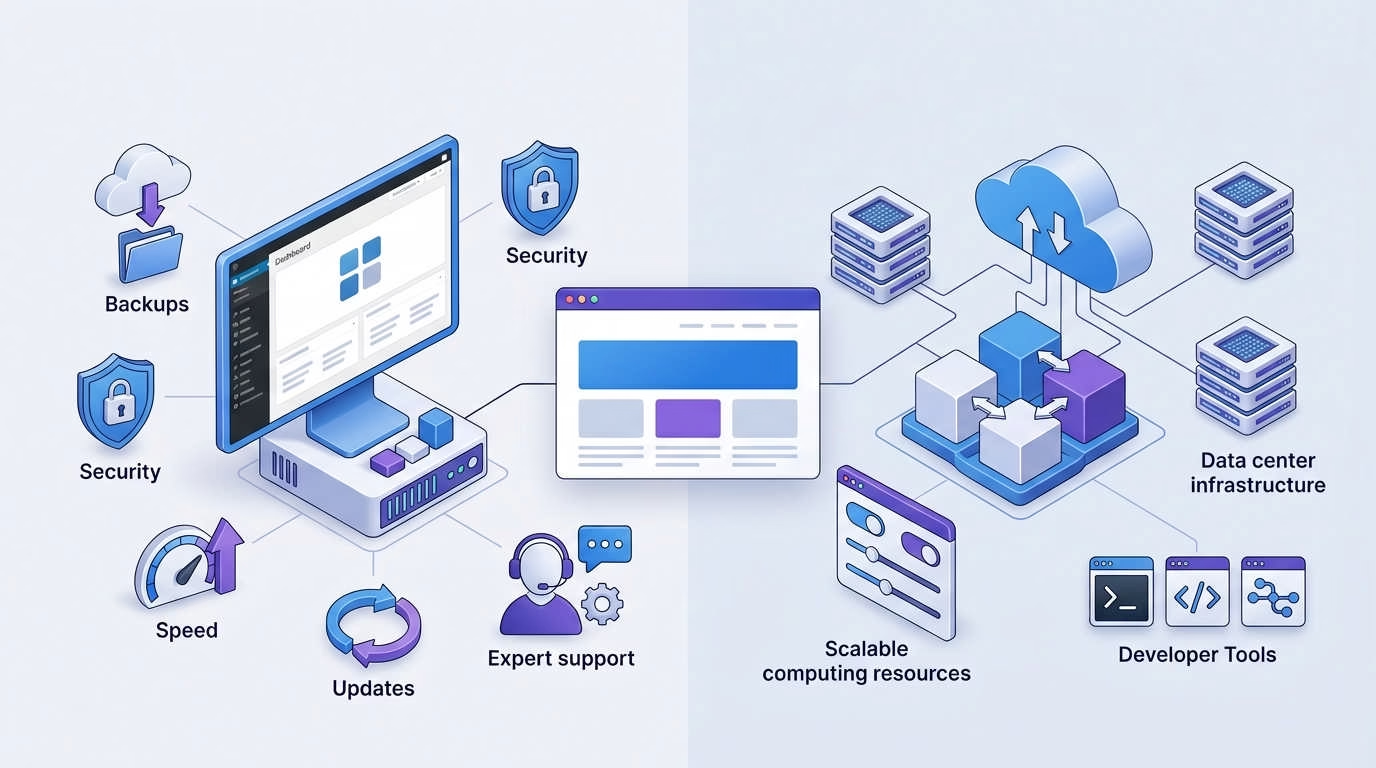
Choosing between managed WordPress hosting vs cloud hosting comes down to one main trade-off. Do you want your host to handle the technical work, or do you want more control over the server?
Managed WordPress hosting is the safer default for most site owners. It includes tools and support built for WordPress. Cloud hosting gives you more freedom, but it may require deeper technical skills.
Your best choice depends on your site, budget, traffic, and time. This guide will help you compare both options without getting lost in server jargon.
Introduction: Two Hosting Options, Two Very Different Responsibilities
Your website has outgrown its current hosting. Pages feel slow. Traffic is rising. Your dashboard may even show resource warnings.
You start looking for a better plan. Two options keep appearing: managed WordPress hosting and cloud hosting.
Both can host a fast WordPress site. Both can support growing traffic. Yet they solve different problems.
Managed WordPress hosting gives you a ready-to-use WordPress setup. The host often handles caching, backups, security, and server updates.
Cloud hosting gives you access to computing resources. You may control the server, software, storage, and location. However, you may also need to manage those parts yourself.
The fastest server may not be your best choice. A cheap cloud machine can become costly if it takes hours to maintain.
Here is the simple answer:
- Choose managed WordPress hosting if you value support and ease.
- Choose cloud hosting if you value control and custom setups.
- Choose managed cloud hosting if you want a mix of both.
If this is your first website, start with this guide to WordPress hosting for beginners. It explains the basic hosting terms in plain English.
Quick Answer: Managed WordPress Hosting vs Cloud Hosting
Managed WordPress hosting is built for WordPress sites. Cloud hosting provides server resources for many types of sites and apps.
The table below shows the main differences.
🚀 Managed WordPress vs Cloud Hosting
Compare features, control, pricing & more| Factor | Managed WordPress hosting | Cloud hosting |
|---|---|---|
| Best for | WordPress site owners | Developers and technical teams |
| Setup | Usually ready to use | May need manual setup |
| Server work | Host handles most tasks | You may handle most tasks |
| Support | WordPress-focused | Often server-focused |
| Control | Limited | High |
| Backups | Often included | May cost extra |
| Security | WordPress rules included | You configure many controls |
| Scaling | Upgrade plans or resources | Add or change resources |
| Pricing | Bundled monthly plans | Resource or usage based |
| Other apps | Often not supported | Usually supported |
| Skill level | Beginner to medium | Medium to advanced |
Choose managed WordPress hosting if you…
Managed WordPress hosting is likely the better fit if you:
- Use WordPress for your whole site.
- Want automatic backups.
- Need help with WordPress errors.
- Do not want to manage a server.
- Prefer a clear monthly bill.
- Want built-in staging tools.
- Run a business site that must stay online.
- Value your time more than server control.
A managed host can remove many routine tasks. You still manage your site, content, theme, and plugins. The host manages much of the system below them.
Choose cloud hosting if you…
Cloud hosting may suit you better if you:
- Need full or broad server access.
- Run more than WordPress.
- Have a developer on your team.
- Need a custom software setup.
- Want to choose exact server resources.
- Can manage patches and security.
- Need custom network rules.
- Want to scale several parts on their own.
Cloud hosting gives you more choices. Those choices can improve speed and control. They can also create more work.
Consider managed cloud hosting if you…
Managed cloud hosting sits between the two options.
You rent cloud resources. A platform then handles many server tasks through a simple control panel.
Consider it if you:
- Want more control than a WordPress-only host offers.
- Do not want to manage raw cloud servers.
- Host several WordPress sites.
- Run an agency or growing online store.
- Need easy vertical scaling [adding more server power].
- Want server-level tools without command-line work.
Cloudways is one example of this middle path. You can review the current plan structure in this Cloudways pricing guide.
What Is Managed WordPress Hosting?
Managed WordPress hosting is a service built around WordPress. The host sets up the server to suit the platform.
You get more than disk space and memory. You also get tools that reduce routine work.
The word “managed” has no fixed meaning. One host may manage updates and malware cleanup. Another may only provide backups and caching.
Always check what the plan includes.
Common managed features
A typical managed WordPress plan may include:
- WordPress setup
- Free site migration
- Daily backups
- One-click restore tools
- Server-level caching
- A staging site
- Security scans
- Free security certificates
- Content delivery support
- WordPress-trained support
- Automatic platform updates
- Plugin update tools
- Activity logs
- Site monitoring
A staging site is a private test copy. You can use it to test themes, updates, and code.
Server-level caching stores ready-made page copies. This helps the server answer requests much faster.
Some plans also include developer tools. These may include Git, command-line access, and site cloning.
Platforms such as Kinsta and WP Engine focus on managed WordPress services. The features and limits can differ by plan.
What “managed” may not include
A managed plan does not mean the host runs your whole website.
Many providers will not handle:
- Website design
- Content edits
- Custom code repairs
- Search engine work
- Business email
- Premium plugin fees
- Domain renewal
- Every plugin error
- Full database cleanup
- Unlimited malware removal
Some hosts update WordPress core but not your plugins. Others may test updates before applying them.
Support limits also matter. A support team may identify a plugin conflict without fixing the plugin’s code.
Important question to ask providers
Ask this before you buy:
Which WordPress, plugin, security, and server tasks will your team handle?
Then ask what remains your job.
Suppose a plan costs $35 per month. It includes backups, caching, staging, migration, and WordPress support. That fee may make sense if it saves two hours each month.
Your real cost includes both money and time.
What Is Cloud Hosting?
Cloud hosting runs your site on computing resources offered through a cloud platform. You can often choose memory, storage, location, and processing power.
Many people think “cloud” means one huge system with endless power. That is not always true.
A basic cloud plan may still be one virtual server. If that server fails, your site may stop unless you added another layer.
Cloud hosting comes in several forms. The level of management makes a major difference.
Unmanaged cloud hosting
With unmanaged cloud hosting, you rent the server resources. You take care of the rest.
Your work may include:
- Installing the operating system
- Setting up the web server
- Installing WordPress
- Creating a database
- Setting firewall rules
- Applying security patches
- Setting up backups
- Watching server use
- Fixing failed services
- Restoring the site after a problem
This route offers the most control. It also creates the most work.
Services such as DigitalOcean, Amazon Lightsail, and Kamatera offer cloud server options.
These services may provide setup images and help pages. Still, you must understand your own level of support.
Managed cloud hosting
Managed cloud hosting adds a service layer above the cloud server. You often get a dashboard, backups, security tools, and support.
The provider may handle:
- Server setup
- Software updates
- Basic security controls
- Server monitoring
- Backup scheduling
- Performance settings
- Service restarts
- Resource changes
This does not always include full WordPress support. The platform may manage the server but stop at your theme or plugins.
Read the support policy before you buy.
If you are reviewing Cloudways, this comparison of Cloudways Flexible vs Autonomous explains its two service styles.
Autoscaling cloud platforms
Autoscaling means resources can rise or fall as demand changes. It sounds simple, but the setup may have limits.
You need to know:
- Which resources can scale?
- Does scaling start on its own?
- How fast does it react?
- Can the system scale back down?
- What happens to the database?
- How much can the final bill rise?
- Does WordPress need changes first?
A platform may add more web servers but leave the database unchanged. In that case, the database can still slow the site.
You should never assume that all cloud hosting can autoscale.
Cloud hosting is an infrastructure category
Cloud hosting describes how you get computing resources. It does not mean the server is ready for WordPress.
You can install WordPress on a cloud server. Yet you may still need to add:
- A web server
- PHP [the language WordPress uses]
- A database
- Caching
- Security rules
- Backups
- Monitoring
- Email delivery tools
Managed WordPress hosting sells a prepared service. Raw cloud hosting sells the parts needed to build one.
Managed WordPress Hosting vs Cloud Hosting: Core Differences
The main difference is not raw speed. It is who handles the work.
A managed WordPress host sells a working WordPress service. A cloud provider usually sells computing power.
Side-by-Side Comparison
⚡ Managed WordPress vs Cloud Hosting — Deep Dive
15 factors compared side by side| Factor | Managed WordPress hosting | Cloud hosting |
|---|---|---|
| Main purpose | Run WordPress sites | Run many apps and workloads |
| Setup process | Fast and guided | Manual or partly managed |
| WordPress tools | Usually included | You may add them |
| Server access | Limited | Broad or full |
| Operating system updates | Usually handled | Often your task |
| WordPress updates | Often assisted | Your task |
| Daily backups | Common | Optional or self-managed |
| Restore help | Often available | Depends on support level |
| Security rules | Set for WordPress | Set by you or a manager |
| Caching | Often built in | Must be installed or tuned |
| Technical support | WordPress-focused | Infrastructure-focused |
| Pricing | Fixed plan with limits | Based on resources or use |
| Scaling | Plan or platform based | Manual or automatic |
| Software choice | Restricted | Flexible |
| Skill needed | Low to medium | Medium to high |
The biggest practical difference
Managed WordPress hosting gives you an outcome. You pay for a site environment that is ready to use.
Cloud hosting gives you capacity. You pay for memory, storage, processing, and data use.
This affects every other part of the service.
A managed host may block some plugins. That can feel strict. Yet the rule may prevent slow queries or security risks.
A cloud host may let you install anything. That freedom also lets you create poor settings.
Managed hosting limits your choices to reduce risk. Cloud hosting gives you choices and lets you own the risk.
Avoid a false comparison
A low-cost cloud server is not equal to a premium managed WordPress plan.
The managed plan may include:
- Daily backups
- Off-site backup storage
- A content delivery network
- Site monitoring
- Malware scans
- WordPress support
- Staging tools
- Server updates
- Migration help
You may need to buy or set up each service on a raw cloud server.
Compare equal services. Then add the cost of your time.
A $6 server plus six hours of work is not a $6 hosting plan.
Performance and Core Web Vitals
Hosting affects speed, but it is only one part of site performance.
Your theme, plugins, images, scripts, database, and visitors also play a role. A fast server cannot fix every poor site choice.
Which Hosting Type Is Faster?
Neither type wins every speed test.
Managed WordPress hosting can be fast from the start. Cloud hosting can be faster after skilled tuning.
The right test uses the same site on both services. It should also reflect your real visitors.
When managed WordPress hosting may perform better
A managed host may perform better when:
- You lack server tuning skills.
- The host uses full-page caching.
- Static files load from nearby locations.
- The platform tunes PHP for WordPress.
- The host blocks known slow plugins.
- Support can find WordPress issues.
- The server uses object caching.
Object caching stores common database results. This cuts repeat work for WordPress.
Managed hosts may also tune the database for you. This can help busy blogs and stores.
The main benefit is a good starting setup. You do not need to build each speed layer yourself.
When cloud hosting may perform better
Cloud hosting may win when your technical team can shape the server around your site.
You can choose:
- More memory
- Faster processors
- A nearby data center
- Faster storage
- A custom caching setup
- A separate database server
- A load balancer
- Your preferred web server
- Custom rules for busy pages
This freedom helps sites with unusual needs. It can also support custom apps beside WordPress.
However, more resources do not fix poor code. A site can waste an expensive cloud server as easily as a cheap one.
Recommended benchmark methodology
Use the same site copy for each test. Keep the theme, plugins, media, and database unchanged.
Then follow these steps:
- Put both test sites in similar server regions.
- Use the same content delivery settings.
- Test with warm and empty caches.
- Test logged-out visitors.
- Test logged-in users.
- Send several levels of traffic.
- Repeat tests from several locations.
- Run tests for at least seven days.
- Track errors as well as speed.
- Test key actions, not just the home page.
A simple home page test can hide a weak database. Test searches, forms, account pages, and checkout steps too.
Metrics to record
Track these measures:
- Server response time
- Largest Contentful Paint
- Interaction to Next Paint
- Cumulative Layout Shift
- Error rate
- Database query time
- Memory use
- Processing use
- Cache hit rate
- Cart and checkout time
Largest Contentful Paint measures how fast the main visible content loads. Aim for 2.5 seconds or less.
Interaction to Next Paint measures how fast the page reacts. Aim for 200 milliseconds or less.
Cumulative Layout Shift measures page movement. Aim for 0.1 or less.
If your server starts slowly, use this guide to reduce initial server response time in WordPress.
Run a traffic-spike test before a large launch. Copy the load from an email campaign, sale, or viral post.
One visitor cannot show how your host performs under stress.
Pricing and Total Cost of Ownership
Cloud hosting often has a lower entry price. Managed WordPress hosting often includes more services.
That makes direct price checks hard. You need to work out the full yearly cost.
Which Option Costs Less?
Cloud hosting can cost less if you manage it well. Managed WordPress hosting can cost less if it saves paid work.
The answer depends on:
- Site count
- Monthly traffic
- Storage use
- Data transfer
- Backup needs
- Support needs
- Security tools
- Staff time
- Downtime risk
A personal blog and a busy shop should not use the same price test.
Managed WordPress pricing models
Managed WordPress providers may charge based on:
- Number of sites
- Monthly visits
- Storage
- Bandwidth
- Backup retention
- PHP workers
- Support level
- Extra staging sites
- Analytics
- Security tools
A PHP worker handles one active request. More workers help with carts, searches, and member pages.
Visit limits need close review. Providers may count visits in different ways.
Also check:
- Renewal price
- Overage fees
- Extra-site fees
- Migration limits
- Email hosting
- Backup storage
- Malware cleanup
- Premium support
A low first-year price may rise at renewal. Work with the normal rate when planning your budget.
Cloud hosting pricing models
Cloud plans may charge for:
- Server runtime
- Memory
- Processors
- Storage
- Data transfer
- Backup images
- Public addresses
- Load balancers
- Managed databases
- Monitoring
- Support
- Traffic filtering
Some services bill by the second or hour. Others use a monthly cap.
Usage billing can save money during short tests. It can also make costs less clear during a traffic surge.
Set budget alerts where possible. Do not wait for the bill to spot a problem.
Total-cost formula
Use this formula:
Hosting + backups + security + monitoring + email + bandwidth + support + technical labor + expected overages
You can also add the cost of expected downtime.
For example, a store may lose far more during one failed sale than it saves through cheap hosting.
Example cost scenarios
Solo blog
You run one content site. Most pages can use full-page caching.
A managed WordPress plan may cost more each month. Yet it saves setup and repair time.
A small cloud server may cost less. It works best if you can manage patches, backups, and server errors.
For a new blogger, managed hosting is often the easier choice.
Small agency with 15 low-traffic sites
Per-site managed plans may become costly. A managed cloud server can lower the cost per site.
However, all 15 sites may share one server. A busy or hacked site could affect the rest.
Look for:
- Site isolation
- Separate backups
- Easy cloning
- Team access
- Client billing tools
- Clear resource charts
You can also compare options in this guide to the best managed WordPress hosting for agencies.
Busy WooCommerce store
A store creates more live server work than a basic blog.
Cart, account, stock, and checkout pages often cannot use full-page caching. These pages need fast database and PHP work.
Do not choose by visit limits alone. Compare:
- PHP workers
- Memory
- Database speed
- Object caching
- Peak visitor support
- Backup timing
- Restore speed
- Support response
- Checkout load tests
A higher monthly fee may be fair if it protects sales.
Security, Backups, and Reliability
Security tools do not help unless someone checks and maintains them.
The key question is simple. Who acts when something goes wrong?
Who Is Responsible When Something Breaks?
With managed WordPress hosting, the provider may help at both server and WordPress levels.
With raw cloud hosting, the provider may only check its own hardware and network. Your server can fail even while the cloud system works.
Read the support scope with care.
Managed WordPress security advantages
Managed WordPress services may include:
- WordPress firewall rules
- Login protection
- Malware scans
- Plugin risk alerts
- Server updates
- Automatic backups
- Restore help
- Attack monitoring
- Blocked high-risk plugins
- Site activity logs
These tools reduce routine work. They do not remove your duties.
You still need to:
- Use strong passwords.
- Remove unused plugins.
- Limit admin accounts.
- Review user access.
- Update custom code.
- protect your own email account.
Cloud hosting security advantages
Cloud hosting gives you wider control over security.
You may be able to set:
- Private networks
- Custom firewall rules
- Access roles
- Login keys
- Fixed addresses
- Network logs
- Storage policies
- Custom backup regions
This is useful for skilled teams. It can also create more ways to make mistakes.
One open port or weak login rule can expose the server. Full control only helps if you use it well.
Questions buyers should ask
Ask each provider:
- How often do you make backups?
- Where do you store them?
- How long do you keep them?
- Can I download a copy?
- Is restore help free?
- Do you test backups?
- Who removes malware?
- Who patches the server?
- Who patches WordPress?
- Is emergency support available?
- What does the uptime promise cover?
- What happens after an attack?
- Can I keep a second backup elsewhere?
Essential advice
Test a full restore before launch.
Do not wait for a broken site. A backup is useful only if you can restore it.
Keep at least one copy away from your main host. This gives you another path if the account becomes locked or damaged.
Scalability and Traffic Spikes
Scaling means adding resources as demand grows. It does not always happen on its own.
Some hosts ask you to move to a larger plan. Some cloud platforms let you add memory or servers. Each method has costs and limits.
Which Hosting Model Scales Better?
Cloud hosting offers more scaling options. Managed WordPress hosting often makes those options easier to use.
Your best choice depends on your traffic type.
A cached article needs little server work. A store checkout or member dashboard needs much more.
Managed WordPress scaling
A managed host may help you scale by:
- Moving you to a larger plan
- Adding more PHP workers
- Increasing memory
- Expanding storage
- Caching pages at the edge
- Preparing for a known event
- Moving your site to a larger setup
This path is simple. However, you may need to accept the host’s plan sizes and prices.
Ask how quickly an upgrade takes. Also ask whether you can move back down later.
Cloud scaling
Cloud hosting may let you:
- Add memory or processing power
- Resize the server
- Add more web servers
- Split out the database
- Use a load balancer
- Add shared storage
- Scale by set rules
- Place services in several regions
Adding power to one server is called vertical scaling. Adding more servers is called horizontal scaling.
Horizontal scaling can handle large loads. Yet WordPress may need extra setup for shared files, sessions, and databases.
Scaling questions
Before you choose a plan, ask:
- Does scaling happen on its own?
- Which resources can grow?
- How fast does scaling start?
- Will the site go offline?
- Can resources shrink later?
- How will the bill change?
- Does the database scale too?
- Are backups affected?
- What happens at the plan limit?
- Can support prepare for a campaign?
Do not buy based on the word “cloud” alone.
A managed cloud option may provide a simpler path. Read this guide to cloud-based servers for small business for more use cases.
Common Use Cases and Real-World Examples
Your site type gives you a good starting point. It should not make the whole choice for you.
Use the cases below as a guide. Then check your own skills, budget, and risk.
Best Hosting Choice by Website Type
Personal blog or new affiliate site
Likely choice: Managed WordPress hosting.
A new content site rarely needs a custom server. Your time is better spent writing, testing offers, and growing traffic.
Choose cloud hosting if you enjoy server work. Do not choose it only to save a few dollars.
Local service-business website
Likely choice: Managed WordPress hosting.
A local business site needs steady uptime, fast pages, and simple support. The owner may not have an in-house developer.
Managed hosting keeps the setup simple. It also gives you one place to ask for help.
WooCommerce store
Likely choice: Premium managed WordPress or managed cloud hosting.
A store has live carts, account pages, stock checks, and payment steps. These requests can place more strain on the server.
Test checkout speed with several users at once. Also check backup schedules and restore time.
Web development agency
Likely choice: Managed cloud or agency-focused WordPress hosting.
An agency must balance cost, site count, and client care.
Managed cloud may lower your cost per site. An agency WordPress platform may offer better site isolation and support.
Your final choice should reflect:
- Number of sites
- Client value
- Team size
- Support terms
- Site isolation
- Backup needs
- Billing workflow
- Staff skill
Software company with WordPress and custom applications
Likely choice: Cloud hosting.
Your company may run WordPress beside an app, private service, or custom database. A WordPress-only platform may block parts of that setup.
Cloud hosting gives your team more control over software and networks. It also keeps several services within one cloud system.
Viral publisher or event-driven campaign site
Likely choice: A tested autoscaling platform.
You need proof that the platform can handle sharp traffic bursts. A marketing promise is not enough.
Run a load test before the event. Check cache use, errors, database load, and final cost.
Decision Checklist
Your hosting choice should fit your skills and work habits. It should also match the cost of failure.
Use the two checklists below. Count how many statements fit your case.
Choose Managed WordPress Hosting If Most Answers Are “Yes”
- WordPress is your only platform.
- You want the host to manage server caching.
- You need help with WordPress errors.
- You want daily backups included.
- You prefer a fixed monthly plan.
- You need a staging site.
- You do not have a server expert.
- Server work would distract your team.
- Your website earns leads or sales.
- You want a clear restore process.
- You value support over root access.
- You can work within plugin limits.
If most points fit, start with managed WordPress hosting.
You can still move later. A simple first setup is often better than a complex system you do not need.
Choose Cloud Hosting If Most Answers Are “Yes”
- You need broad server access.
- You run apps besides WordPress.
- You have a skilled technical team.
- You need a custom software stack.
- You can manage security patches.
- You can monitor server resources.
- You need custom network rules.
- You want control over server regions.
- You need separate databases or services.
- You can manage variable bills.
- You have a tested backup plan.
- You can respond to server alerts.
If most points fit, cloud hosting may give you the right control.
Managed cloud hosting may be a better step if only half fit.
Red-flag checklist before purchasing
Pause before buying if:
- The renewal rate is hard to find.
- The host hides overage fees.
- Restore help costs extra.
- Backups stay on the same server.
- “Unlimited” has no clear meaning.
- Support only covers the network.
- The plan lacks an exit method.
- You cannot download backups.
- Speed claims lack test details.
- Scaling terms are vague.
- Email costs are not shown.
- Plugin limits are hidden.
Save a copy of the plan details when you buy. Providers can change their packages later.
Final Recommendation Matrix
There is no single winner for every website.
The best host is the one your team can operate well. A powerful server with poor care is not a good setup.
Final Recommendation
| Situation | Recommended option | Main reason |
|---|---|---|
| First WordPress site | Managed WordPress | Simple setup and care |
| Small-business site | Managed WordPress | Better support access |
| Revenue-based blog | Managed WordPress | Less routine server work |
| Growing WooCommerce store | Premium managed WordPress or managed cloud | Better support for live requests |
| Developer-led project | Cloud hosting | More server control |
| WordPress plus custom apps | Cloud hosting | Flexible software setup |
| Agency with small sites | Managed cloud | Lower possible cost per site |
| Agency with high-value clients | Agency WordPress platform | Better tools and isolation |
| Unpredictable traffic | Tested autoscaling platform | Resources can respond to demand |
| Strict data needs | Case-by-case review | Rules and contracts differ |
For most nontechnical owners, managed WordPress hosting is the better default. It removes work and gives you WordPress-focused help.
For developers, cloud hosting offers more control. You can shape the server around your project.
Managed cloud hosting fills the space between them. It can work well for agencies, stores, and growing sites.
Do three things before you buy:
- Work out the full 12-month cost.
- Test your real site under load.
- Confirm who handles each technical task.
That gives you a fair managed WordPress hosting vs cloud hosting comparison. It also helps you avoid buying more control than you can use.
Frequently Asked Questions
These quick answers cover the most common points of confusion.
Is managed WordPress hosting the same as cloud hosting?
No. Managed WordPress hosting is a service built for WordPress. Cloud hosting is a way to provide computing resources.
A managed WordPress host may run on cloud systems. This means the two categories can overlap.
Is cloud hosting cheaper than managed WordPress hosting?
The base cloud server may cost less. The full setup may not.
Add backups, security, monitoring, storage, data use, support, and technical labor. Then compare the yearly totals.
Which option is faster for WordPress?
Neither option is always faster.
Managed hosting may be faster without manual tuning. A well-built cloud server may perform better for custom needs.
Test both with the same site. Include cached pages, live requests, and peak traffic.
Which hosting is better for WooCommerce?
Premium managed WordPress or managed cloud hosting is often the safer choice.
WooCommerce creates many live database requests. Focus on PHP workers, memory, object caching, checkout speed, and support.
Test a store with active carts. A simple home page speed test is not enough.
Can I move from managed WordPress hosting to cloud hosting later?
Yes. You can move if you have access to your files and database.
Before moving, check:
- Email services
- Backup formats
- Domain settings
- Cache tools
- Security tools
- Custom server rules
- Paid platform features
Keep a full backup before the move. Test the new copy before you point your domain to it.