

What Is WordPress Hosting for Beginners?
If you are new to WordPress, hosting can feel like the first big wall. You may want to start a blog, build a business site, sell products, or create a simple portfolio. But before your site can go live, it needs a home. That home is your web hosting.
WordPress hosting is the service that stores your website files and makes your site available online. When someone types your domain name into a browser, your hosting helps load the site for them. Simple, right? The tricky part is choosing the right kind.
For beginners, the best hosting is not always the cheapest one. Cheap hosting can work for a tiny test site. But if your website matters, speed and support matter too. A slow site can push visitors away. Poor support can leave you stuck when something breaks. Weak backups can turn one small mistake into a long bad day.
Good WordPress hosting for beginners should make life easier. It should help you install WordPress fast. It should keep your site loading well. It should offer backups, security tools, and support that does not make you feel lost.
This is where managed hosting starts to make sense. Instead of giving you a blank server and expecting you to figure it all out, managed hosting handles many of the hard parts for you. You can focus on pages, posts, products, design, and growth.
A managed cloud hosting platform can be even better for users who want more room to grow. It gives your WordPress site strong cloud power, but without forcing you to manage every technical detail yourself.
That is why platforms like Cloudways are worth a look. Cloudways gives beginners a way to use cloud hosting without needing to become server experts. You still get speed, control, and room to scale. But the daily server work feels much less scary.
What Beginners Usually Need From WordPress Hosting
Most beginners need simple things done well. You need easy setup. You need fast loading. You need backups. You need security. And when something goes wrong, you need real help.
You do not need a hosting plan that looks impressive but feels impossible to use. You need hosting that helps you move forward.
What Does It Mean to Put a Website on Cloud?
Putting a website on cloud means your site runs on cloud-based servers instead of one basic physical server. That may sound complex, but the idea is simple. Your website gets access to flexible online resources that can handle traffic, files, and data in a smarter way.
Think of old-style hosting like renting one small room. Everything you own sits in that one room. If it gets crowded, messy, or overloaded, things slow down. Cloud hosting is more like using space in a modern building. You can start small, then use more space when you need it.
This makes cloud hosting useful for WordPress sites that may grow over time. Maybe you start with a small blog. Then one post gets shared a lot. Or your online store runs a sale. Or your service page starts ranking in search. Traffic can jump fast. With basic hosting, that jump may slow your site down. With cloud hosting, you have better options to grow.
A website on cloud can also offer better performance when set up well. Your site may load faster. It may handle more visitors. It may also feel more stable during busy periods. Of course, hosting is not the only thing that affects speed. Your theme, images, plugins, and content also play a role. But better hosting gives you a stronger base.
For beginners, cloud hosting used to feel out of reach. It sounded like something only developers used. That has changed. Managed cloud hosting makes the idea much more beginner friendly.
With a platform like Cloudways, you do not have to build everything from scratch. You can launch WordPress, choose server resources, add your domain, set up backups, and manage key settings from one dashboard. That means you get the upside of cloud hosting without dealing with the hardest parts alone.
Why Cloud Hosting Makes Sense for Growing Sites
Cloud hosting is a smart choice when you want your website to grow. It gives you more flexibility than many basic hosting plans. You can start small and scale later.
That is a big win for beginners. You do not need to overpay on day one. But you also do not need to rebuild everything when your site gets bigger.
What Is a Managed Cloud Hosting Platform?
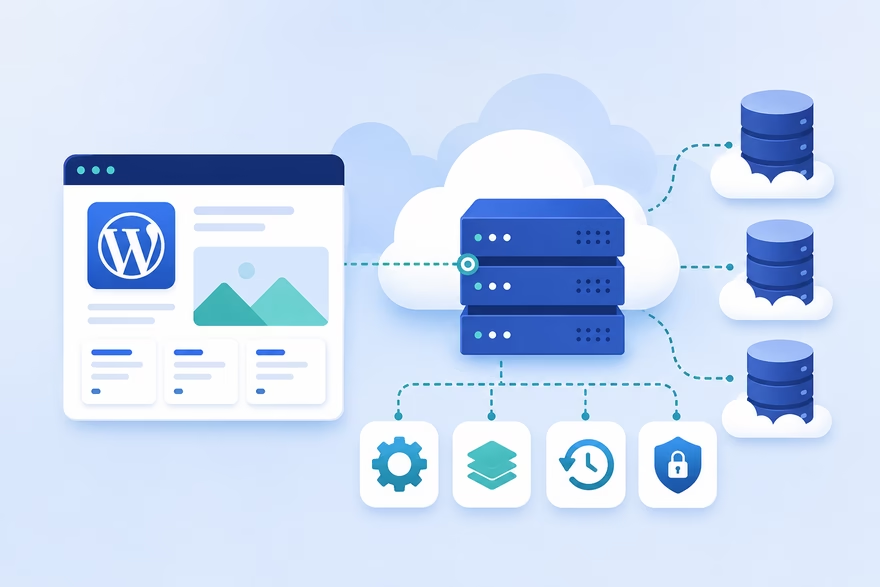
A managed cloud hosting platform gives you cloud hosting with help built in. It sits between you and the raw cloud server. Instead of making you handle every server task yourself, the platform gives you tools that are easier to use.
This matters because cloud hosting can be powerful, but it can also be confusing. If you rent a raw cloud server, you may need to set up security, caching, updates, backups, and server settings on your own. Most beginners do not want that. Most business owners do not have time for it either.
Managed cloud hosting solves that problem. It gives you a cleaner way to host your site on the cloud. You still get strong performance and room to grow. But you also get features that save time.
A good managed cloud hosting platform can help with server setup, WordPress installation, security settings, backups, caching, and performance tools. Some also offer staging sites, which let you test changes before you show them to visitors.
This is one of the main benefits of managed hosting. You spend less time fixing technical issues and more time building your site. That is helpful if you are a blogger, freelancer, store owner, coach, agency, or small business owner.
Cloudways is a clear example of this model. It lets you use cloud hosting from well-known cloud providers, but adds a much simpler control layer on top. You can launch WordPress without touching complex server commands. You can manage backups, scaling, SSL, and performance tools from one place.
That does not mean you never have to learn anything. You still need to understand the basics of your site. But you do not have to become a full server admin just to run WordPress.
Managed Does Not Mean Limited
Some beginners worry that “managed” means less control. But that is not always true.
With managed cloud hosting, the goal is not to lock you in. The goal is to remove the messy work. You still get useful settings. You still get flexibility. You just get a better path through the hard parts.
That balance is why many users choose premium managed WordPress hosting when their site becomes more serious.
Shared Hosting vs Managed Cloud Hosting

Shared hosting is often the first thing beginners find. It is cheap, common, and easy to buy. In shared hosting, your website shares server space with many other websites. That helps keep costs low. But it can also create limits.
If another site on the same server gets a lot of traffic, your site may slow down. If the server has too many sites packed onto it, performance can suffer. You may also get fewer tools for scaling, testing, and advanced speed control.
Shared hosting can still be fine for a small hobby blog or a simple starter site. If you only want to test an idea, it may be enough. But if your site supports your business, brand, income, or client work, cheap hosting can become a weak base.
Managed cloud hosting gives you a stronger setup. Your site runs on cloud infrastructure, and the platform helps manage the technical side. This often means better speed, more flexibility, and easier growth.
The difference becomes clear when your site starts getting traffic. With shared hosting, you may hit limits fast. With managed cloud hosting, you usually have more room to scale. You can increase resources, improve performance, and handle growth without starting over.
This is why many people move from shared hosting to managed cloud hosting later. But here is the bold idea: if your website is important, you may not want to wait. Starting on better hosting can save you from a painful migration later.
Cloudways fits well here because it gives beginners a middle path. It is more powerful than basic shared hosting, but still easier than managing a raw cloud server. You get a practical mix of speed, control, and support.
Which One Should Beginners Choose?
Choose shared hosting if you want the lowest cost and your site is not business critical.
Choose managed cloud hosting if you care about speed, growth, and fewer technical headaches.
If you want to build a serious WordPress site from day one, managed cloud hosting is the smarter long-term move.
Key Benefits of Managed Hosting for WordPress Beginners

The biggest benefit of managed hosting is peace of mind. When you are new to WordPress, small tasks can feel bigger than they are. You may wonder how to protect your site, how to make it faster, how to back it up, or what to do when a plugin causes an error. Managed hosting helps remove much of that stress.
Instead of handling every technical task on your own, you get a hosting setup that supports you from the start. This can include backups, caching, security tools, updates, and support. That means you can spend more time writing posts, building pages, adding products, and growing your audience.
Speed is one of the main benefits of managed hosting. A slow site can hurt the visitor experience. People do not wait long. If your pages take too much time to load, visitors may leave before they read your content or see your offer. Managed hosting often gives your site better resources, smarter caching, and a stronger setup than basic shared hosting.
Security is another big reason to care. WordPress is popular, which means it also attracts attacks. Beginners often forget about security until something goes wrong. Managed hosting gives you a safer base. It may include firewalls, SSL support, regular monitoring, and backup options. No host can promise perfect safety, but a managed setup can reduce many common risks.
Backups also matter more than beginners think. One bad update can break your site. One wrong click can remove important content. With backups in place, you have a way to recover. That alone can save hours of stress.
Managed cloud hosting adds one more major benefit: room to grow. Your site may start small, but it does not have to stay small. If your blog grows, your store gets busy, or your campaign brings in traffic, cloud hosting gives you better scaling options.
Better Speed Without the Guesswork
Fast hosting does not fix every speed problem, but it gives you a strong start. Your theme, images, and plugins still matter. But if your hosting is weak, everything else has to work harder.
Cloudways is useful here because it gives WordPress users built-in performance tools in a managed cloud setup. You get a cleaner path to a faster site without needing to tune every server setting by hand.
Less Technical Stress
A beginner should not have to feel like a server expert just to publish a blog post. Managed hosting keeps the focus where it should be: your website, your content, and your growth.
What Is Premium Managed WordPress Hosting?
Premium managed WordPress hosting is hosting built for people who want better speed, stronger support, and fewer technical problems. It is not just “hosting with a higher price.” Done well, it gives your website a better foundation.
Think of it like renting a better workspace. A cheap room may be enough if you only visit once a month. But if you run your business there every day, you want better lighting, stronger locks, faster internet, and help when something breaks. Your website works the same way.
Premium managed WordPress hosting usually includes features that make your site easier to run. These may include automatic backups, staging sites, SSL, caching, performance tools, security features, and expert support. These features help beginners avoid common problems and help growing sites stay stable.
A staging site is one of the most useful features. It lets you test changes before you make them live. For example, you can try a new theme, update plugins, or change a sales page without risking your real site. If something breaks, your visitors never see it.
Premium hosting can also give you better value over time. Many beginners focus only on monthly cost. That makes sense when money is tight. But the cheapest plan can become expensive if your site is slow, down often, or hard to fix. Lost visitors, lost sales, and lost time all have a cost.
This is where Cloudways sits in a smart middle ground. It offers many features people expect from premium managed WordPress hosting, but with the flexibility of cloud hosting. You can start with a smaller server and scale as your needs grow.
Is Premium Managed WordPress Hosting Worth It?
It is worth it if your website has a real purpose. If your site brings leads, sales, clients, readers, or brand trust, better hosting is not a luxury. It is part of the business.
It may not be needed for a tiny hobby site with no traffic. But if you plan to grow, starting with better hosting can save you from a painful move later.
Who Should Consider Premium Hosting?
Premium hosting makes sense for bloggers, small businesses, online stores, course creators, freelancers, agencies, and anyone who wants a faster WordPress site with less daily stress.
What to Look for in the Best WordPress Hosting for Beginners
The best WordPress hosting for beginners should make your life easier from day one. It should not bury you in confusing settings. It should not make simple tasks feel hard. And it should not leave you alone when your site has a problem.
Start with setup. A good host should let you install WordPress quickly. You should not need to touch code or follow a long technical process. The dashboard should feel clear. You should know where to find your site, backups, domain settings, SSL, and support.
Next, look at speed. Fast hosting helps your pages load quickly. This matters because visitors make quick choices. If your site feels slow, they may leave. Look for hosting that offers caching, strong servers, and simple performance tools. You do not need to know every technical detail, but you should know the host takes speed seriously.
Backups are a must. Do not treat them as an extra. A good beginner host should make backups easy to set up and easy to restore. You may never need them. But when you do, they are priceless.
Security matters too. Look for SSL, firewalls, regular updates, and monitoring. Again, you do not need perfect protection. No one can offer that. But you do need a host that helps reduce common risks.
Support is another key factor. Beginners need clear answers, not confusing replies. Good support can save you hours. Bad support can turn a small issue into a full-day problem.
Finally, think about growth. Your site may be small today, but what happens in six months? What if your blog takes off? What if your store gets more orders? What if your agency adds more client sites? Your host should let you grow without a full rebuild.
Simple Setup
Choose hosting that makes WordPress easy to launch. One-click install, a clean dashboard, and clear settings can make a huge difference.
Backups and Security
Your hosting should help protect your work. Backups, SSL, and security tools should be easy to find and simple to use.
Room to Grow
Do not choose hosting only for the site you have today. Choose hosting for the site you want to build.
Why Cloudways Is a Good Managed Cloud Hosting Platform for Beginners
Cloudways is a strong choice for beginners who want more than basic shared hosting but do not want to manage a raw cloud server. That is the key point. It gives you the power of cloud hosting in a simpler, more guided way.
Many people hear “cloud hosting” and think it sounds too technical. And sometimes, it is. If you go straight to a cloud provider and rent a server, you may need to handle setup, updates, security, and performance work yourself. That can feel overwhelming if you are new to WordPress.
Cloudways adds a managed layer on top. This makes it easier to launch and run a WordPress site on cloud infrastructure. You can install WordPress, manage backups, add SSL, use staging, and scale your server from a cleaner dashboard. You still get control, but the process feels less intimidating.
This makes Cloudways useful for beginners with serious goals. If you are starting a business site, blog, online store, or client project, you may want hosting that gives you room to grow. Shared hosting may be cheaper at first, but it can feel tight once traffic rises. Cloudways gives you a more flexible path.
Another reason Cloudways stands out is choice. You are not stuck with one fixed setup. You can choose from different cloud providers and server sizes based on your needs. Beginners can start small, then scale later. That keeps things practical.
Cloudways also fits users who care about speed. Its managed cloud setup includes performance-focused tools that help WordPress sites run better. Of course, you still need a clean theme, optimized images, and fewer heavy plugins. But strong hosting gives you a better base.
Beginner-Friendly, Not Basic
Cloudways is not the same as ultra-simple budget hosting. There may still be a small learning curve. But that is not a bad thing.
It gives you more power without throwing you into the deep end. For many beginners, that is the right balance.
Best Fit for Serious WordPress Beginners
Cloudways makes the most sense if your site matters. If you want speed, flexibility, backups, staging, and room to scale, it is a smart managed cloud hosting platform to consider.
Is Cloudways Good for a Website on Cloud?
Yes, Cloudways can be a good choice if you want to put a website on cloud without doing the hard server work yourself. That is the real appeal. You get the speed and flexibility of cloud hosting, but with a dashboard that makes the process easier to manage.
For many beginners, cloud hosting sounds powerful but confusing. You may imagine command lines, server settings, and strange error messages. That can be true if you manage a cloud server on your own. But Cloudways removes much of that friction. It helps you launch WordPress, connect your domain, set up SSL, manage backups, and scale your server from one place.
That makes it useful for people who want a better hosting base from the start. If you are building a blog, business site, online store, or service website, you need hosting that can keep up. A slow website can hurt trust. A site that crashes during busy times can cost you leads or sales. A host that makes every task hard can slow your whole project down.
Cloudways gives you a more practical path. You can start small, then grow when your site needs more power. That matters because most beginners do not know how much traffic they will get at first. You may not need a huge hosting plan on day one. But you do need the option to scale later.
It is also a good fit if you want more control than shared hosting gives you. Shared hosting may feel simple, but it can become limiting. With a managed cloud hosting platform, you get more room to shape your setup without managing everything alone.
Why It Works Well for Beginners
Cloudways works well for beginners because it gives structure. You do not have to build a cloud server from scratch. You get guided tools, useful settings, and managed features that help keep your WordPress site running.
It is not the cheapest hosting path. But if your website is important, cheap should not be your only goal. You want hosting that saves time, reduces stress, and gives your site room to grow.
Fastest WordPress Hosting Canada: What Should Canadian Website Owners Look For?
If you are looking for the fastest WordPress hosting Canada users can rely on, do not judge by brand name alone. Speed depends on several things. Your server location matters. Your caching setup matters. Your theme, images, plugins, and page design matter too.
A host can be fast, but your site can still feel slow if your images are huge or your theme is heavy. So the smarter question is not just, “Which host is fastest?” The better question is, “Which hosting setup gives my Canadian visitors the shortest, smoothest path to my website?”
Server location is a good place to start. If most of your visitors are in Canada, choose a server location in Canada or close to it. Nearby regions in North America can also work well. The shorter the distance between your server and your visitors, the faster your site can often respond.
You should also look for strong caching. Caching stores parts of your site so pages can load faster for visitors. This can make a big difference for WordPress sites, especially blogs, stores, and business pages with repeat traffic.
A content delivery network can also help. This stores copies of your site’s files in different locations around the world. When someone visits your site, they can load files from a location closer to them. That is useful if your audience is spread across Canada, the United States, Europe, or Asia.
Cloudways can be a strong option here because it lets users choose cloud providers and server locations based on their needs. That gives Canadian website owners more flexibility than a fixed hosting setup.
Speed Is More Than Hosting
Fast hosting gives you a strong base, but it is not magic. You still need to keep your WordPress site lean.
Use a fast theme. Compress images. Remove plugins you do not need. Avoid too many pop-ups, sliders, and heavy scripts. A clean site on good hosting will almost always beat a bloated site on expensive hosting.
Best Setup for Canadian Visitors
For a Canada-focused site, choose nearby hosting, turn on caching, use optimized images, and keep your design simple. That mix can do more for speed than chasing flashy claims.
Who Should Use Managed Cloud Hosting?
Managed cloud hosting is best for people who want their website to be fast, stable, and ready to grow. It is not only for big companies. It can also be a smart choice for beginners who want to start with a better foundation.
If you run a blog, managed cloud hosting can help your posts load faster. That matters because readers are impatient. They click, scan, and decide fast. If your blog takes too long to open, they may leave before your first sentence has a chance.
If you run a small business, your website is often your first impression. A slow or broken site can make people doubt you. Better hosting helps your site feel more professional. It supports trust before you even speak to a customer.
Online stores can benefit even more. When people shop, speed matters. A slow product page or checkout page can hurt sales. Managed cloud hosting gives stores more room to handle traffic, product images, and busy sales periods.
Freelancers and agencies can also use managed cloud hosting for client sites. It gives them better control, staging tools, backups, and scaling options. That can make client work smoother and less risky.
Managed cloud hosting is also good for course creators, coaches, affiliate marketers, local service businesses, and portfolio sites. In short, if your website helps you earn, grow, or build trust, better hosting is worth thinking about.
Cloudways fits many of these users because it offers a balance. It is more flexible than basic shared hosting, but less complex than managing a server yourself. That makes it useful for people who want power without the full technical burden.
Who May Not Need It Yet
Managed cloud hosting may not be the best fit for every beginner. If you only want a tiny personal blog and have no growth plans, basic hosting may be enough.
It may also feel like too much if your only goal is the lowest monthly cost. But if you care about speed, support, backups, and growth, managed cloud hosting can be a much smarter choice.
Common Beginner Mistakes When Choosing WordPress Hosting
One of the biggest beginner mistakes is choosing hosting only because it is cheap. Low prices can be tempting. That makes sense. But your hosting affects your speed, security, support, and growth. If you pick the weakest option, you may pay for it later in lost time and frustration.
Another mistake is ignoring speed. Many beginners spend hours choosing themes, colors, fonts, and logos. But they forget the thing visitors notice first: how fast the site loads. A beautiful site still fails if people leave before it appears.
Beginners also forget about backups. This is risky. WordPress sites can break for many reasons. A plugin update can fail. A theme change can cause errors. A simple mistake can remove content. Without backups, fixing the problem becomes much harder.
Another common issue is using too many plugins. Plugins are useful, but each one can add weight. Some can slow your site down. Some can create conflicts. Some may stop getting updates. A clean site with fewer, better plugins is usually easier to manage.
Many new site owners also ignore support quality. They assume support will be there when needed. But not all support is equal. Good support gives clear answers and helps you move fast. Poor support sends you in circles.
The last big mistake is not planning for growth. Your site may be small today, but that can change. A post may rank. A product may sell. A campaign may work. If your hosting cannot grow with you, success can become a problem.
Choosing the Cheapest Host Only
Cheap hosting can be fine for testing. But if your site matters, price should not be the only factor. Look at speed, backups, support, and scaling too.
Forgetting About Future Traffic
Build for the site you want, not only the site you have today. Managed cloud hosting helps because it gives you more room to grow without starting over.
Making Hosting an Afterthought
Your host is not just a bill. It is the ground your website stands on. If the ground is weak, everything above it feels shaky.
How to Start a WordPress Site on Managed Cloud Hosting
Starting a WordPress site on managed cloud hosting is easier than many beginners expect. You do not need to know how to manage a server from scratch. You just need to follow a simple path and make smart choices at each step.
First, choose your managed cloud hosting platform. Cloudways is one option because it gives you cloud hosting with beginner-friendly management tools. This means you can launch WordPress without getting buried in complex server tasks.
Next, choose your server size and location. If you are just starting, you do not need to go huge. Start with a smaller plan that fits your current needs. You can scale later when your traffic grows. For location, pick a server close to most of your visitors when possible.
After that, install WordPress. Most managed platforms make this step simple. Once WordPress is live, you can log in and start shaping your site. Choose a clean theme, add your main pages, and install only the plugins you truly need.
Then connect your domain name. Your domain is your website address. This step points visitors from your domain to your hosting. It may sound technical, but most platforms give clear steps.
Next, turn on SSL. This helps protect data and gives your site the secure padlock in the browser. Visitors expect this now, so do not skip it.
Then set up backups. Make sure backups run on a schedule. You want a safety net before you make big changes to your site.
Finally, optimize for speed. Turn on caching if your host offers it. Compress images before uploading them. Keep your pages clean. Avoid heavy design elements that slow everything down.
Simple Launch Checklist
Start with the basics. Choose hosting. Install WordPress. Connect your domain. Add SSL. Set up backups. Pick a fast theme. Add only needed plugins.
That is enough to get moving. You can improve the site over time.
Do Not Wait Until Everything Is Perfect
Many beginners delay launch because they want every page to look perfect. Do not do that. Launch a clean, useful version first. Then improve it as you learn what your visitors need.
Final Verdict: Is Managed Cloud Hosting Right for Beginners?
Managed cloud hosting can be a great choice for beginners, especially if your website has a real purpose. If you are building a serious blog, business site, online store, or client project, your hosting should not hold you back.
Basic shared hosting may look easier at first. It is cheap. It is common. It gets your site online. But it can become limiting as your site grows. You may face slower loading, weaker scaling, and fewer useful tools. That can turn into stress right when your website starts gaining traction.
Managed cloud hosting gives you a stronger path. You get better performance, more flexibility, and helpful features like backups, SSL, caching, staging, and scaling. You also avoid much of the difficult server work that makes cloud hosting feel scary.
This is why Cloudways is worth considering. It gives beginners a practical way to host a website on cloud infrastructure without doing everything manually. You get more power than basic hosting, but you still get managed tools that make daily work easier.
Is it the right choice for everyone? Not always. If you are building a tiny hobby site and cost is your only concern, a cheaper plan may be enough for now. But if your site supports your business, income, brand, or long-term goals, managed cloud hosting is a smart investment.
The best hosting choice is the one that helps you move faster with less stress. It should make your site easier to manage. It should give visitors a smooth experience. And it should leave room for growth.
The Smart Beginner Move
If you are serious about your WordPress site, do not build it on the weakest base. Start with hosting that can grow with you.
Cloudways offers that kind of foundation. It is beginner-friendly, flexible, and built for people who want cloud performance without the technical headache.
Conclusion
If your website matters, give it hosting that matches your ambition. Start with a managed cloud hosting platform like Cloudways, build your WordPress site with confidence, and let your hosting support your growth instead of slowing it down.
