
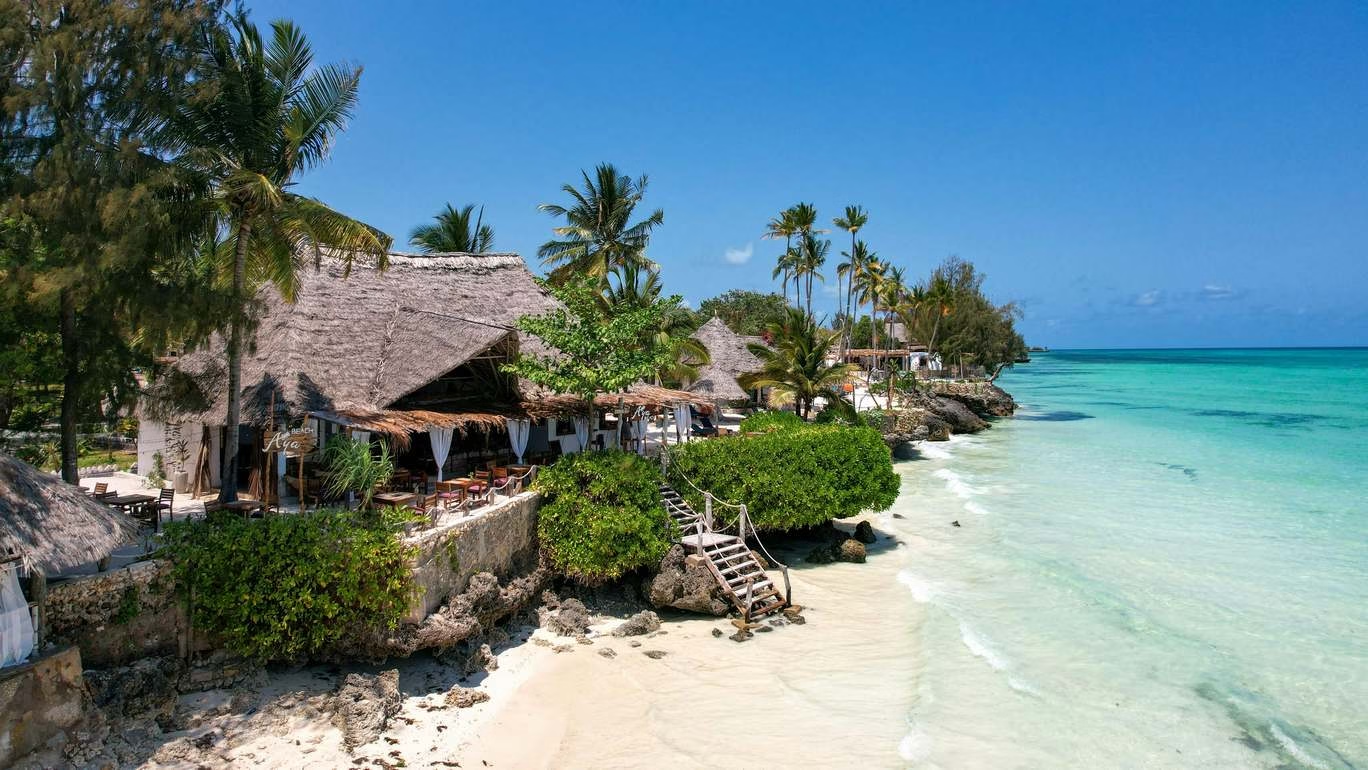
Step-by-step guide to set up and optimize your Google Business Profile for Zanzibar hotels, tours and restaurants to attract more direct bookings.
Table of Contents
Unlock More Guests: Simple Google Business Profile Tips for Zanzibar Hotels & Tours
(P.S. A fast, reliable website makes your Google profile shine. I use Cloudways to boost my site speed and bookings—try them free today!)
Why Your Google Profile Is Your New Front Door
Hi there! I help Zanzibar hotels and tour companies get found online. Let me share a truth: today’s travelers don’t just visit your website first. They check your Google Business Profile (GBP). Worry about SEO optimization? See our complete guide here.
Zanzibar’s tourism is booming. In September 2025 alone, arrivals jumped 38.6% year over year. Most guests are from Europe—Italy, Germany, and the UK. They use Google Search and Maps to pick where to stay and what to do.
A strong GBP helps you:
✅ Stand out in a busy market
✅ Show real photos and fresh reviews
✅ Get direct bookings (no third-party fees!)
Ready to turn your profile into a guest magnet? Let’s go.
Why This Matters Right Now
Zanzibar welcomed 106,108 tourists in July 2025—that’s a record! So far this year, 476,875 travelers have visited. That’s double the number from two years ago.
New resorts from Four Seasons, Marriott, and others are opening. This means:
- More rivals fighting for attention
- Travelers expect perfect info and pretty photos
- You can skip booking sites and keep more profit
Fun fact: Complete GBP listings get 70% more visits from browsers. Most tourists stay 7-8 nights. That’s a lot of extra beds filled!
Step 1: Claim and Verify Your Profile
First things first—claim your free GBP listing at google.com/business. No verification? Your profile won’t show up well. Google will mail a code or call to confirm you own the business.
Fix these key details:
- Name: Use your real business name. No tricks like “Best Zanzibar Hotel #1!!”
- Address: Be exact. Say “Nungwi Beach” or “Stone Town”—travelers search by area.
- Phone: Use a local Zanzibar number that rings at your front desk.
- Website: Link to your booking page. Make sure it works great on phones!
Step 2: Pick the Right Business Types
Google uses categories to understand your business. This affects your search rank. Use one main category plus up to nine extras.
| Your Business | Main Category | Great Extra Categories |
|---|---|---|
| Beach Hotel | Hotel | Beach Resort, Pool, Free Wi-Fi |
| Stone Town Hotel | Hotel | Boutique Hotel, Historic Site |
| Tour Company | Tour Agency | Boat Tours, Scuba Diving, Cultural Tours |
| Restaurant | Restaurant | Seafood, Rooftop Dining, African Food |
Tip: Recheck categories every 3 months. Google adds new ones often!
Step 3: Fill Every Detail (It Pays Off!)
Profiles with full details look 2.7x more trustworthy. Travelers are 70% more likely to visit—and 50% more likely to book.
Write a simple business description:
- Use plain words: “Family-run hotel in Kendwa with quiet beach access.”
- Add a call to action: “Book direct for free sunset dhow cruise!”
- Skip fluff. Focus on what makes you special.
Check all matching features:
- Hotels: “Pool,” “Airport Ride,” “Beach Access,” “AC Rooms”
- Tours: “Family Friendly,” “Hotel Pickup,” “English Guides”
Step 4: Flood Your Profile With Photos
Profiles with photos get 35% more website clicks. Great visuals sell Zanzibar dreams!
Must-have shots for hotels:
🌅 Golden-hour property photos
🛏️ Clean, bright room interiors
🌴 Pool, beach, and dining areas
Must-have shots for tours:
🤿 Guests snorkeling in clear water
⛵ Happy teams on dhow boats
🌶️ Spice farm adventures
Pro tip:
- Aim for 100+ photos (listings with these get 520% more calls)
- Add short videos too! Google plays them automatically.
Step 5: Win Trust With Reviews
Reviews boost your Google rank and convince guests.
Get more reviews:
- Ask kindly at checkout: “Loved your stay? Share your thoughts on Google!”
- Email guests a direct review link after tours.
Reply to every review:
- Happy reviews: “Thanks, Maria! We loved sailing with you at sunset.”
- Upset reviews: “We’re sorry your room was noisy, Tom. We’ll fix this. Please DM us.”
Note: 90% of travelers read your replies—they matter!
Step 6: Post Weekly Updates
Use Google Posts like free social media on your profile. These show up in search!
Post ideas for Zanzibar:
✨ “Early-bird deal: 15% off June stays!”
🎉 “Friday Taarab music nights at our beach bar!”
🌴 “New! Private spice farm tours with lunch.”
Warning: Posts vanish after 7 days. Post weekly to stay fresh.
Step 7: Pre-Answer Common Questions
Travelers ask things like:
❓ “Do you pick up from Zanzibar Airport?”
❓ “Is your beach private?”
❓ “Can vegetarians join spice tours?”
Be proactive:
- Add these Q&As yourself in your GBP dashboard
- Reply fast to new questions (anyone can answer publicly!)
Step 8: Show What You Offer
Use the Products/Services tab to highlight:
- Hotel room types (with photos!)
- Tour packages (“Dolphin Swim + Lunch”)
- Spa deals or dinner specials
Make it tempting:
✅ Use bright, clear photos
✅ Add prices if you can
✅ Say “Book Now” or “Ask About This”
Step 9: Smart Extras
- Turn on messaging: Reply within 1 hour to chat leads.
- Add booking buttons: Use “Reserve with Google” if your system allows it.
- Update hours: Change for Ramadan, holidays, or rainy season.
- Check Insights: See what photos get clicks and which posts drive calls.
Your Next Step
Zanzibar tourism grew 45.9% in August 2025 alone. Your guests are searching Google right now.
Don’t wait. Audit your GBP today:
- Is it verified?
- Are photos bright and plentiful?
- Do you reply to reviews fast?
- Did you fill every section?
A perfect profile books more guests—and keeps more profit in your pocket.
(P.P.S. Remember: a speedy website makes your GBP work harder. My secret weapon? Cloudways hosting. Try it risk-free and watch bounce rates drop!)