
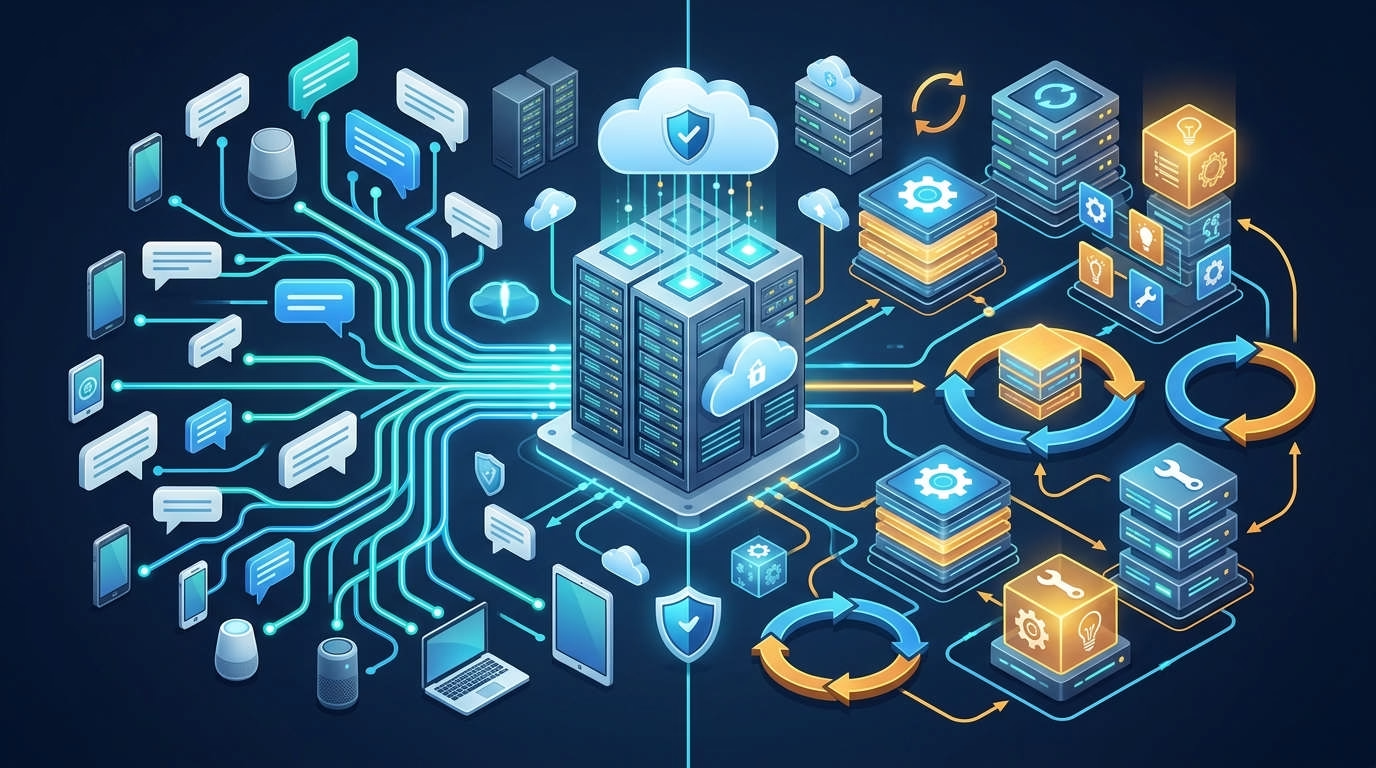
If you want an agent that works through many chat apps, choose OpenClaw. If you want an agent built for repeat tasks and reusable skills, Hermes may fit better. Both can run locally or on a VPS, but their design goals differ.
Managed hosting option: Cloudways now supports both agents on dedicated managed servers. It handles server setup, security patches, backups, SSL, and core upkeep. You still manage your model keys, skills, workflows, and agent settings. Explore Managed AI Agent Hosting for OpenClaw and Hermes.
This comparison treats “hosting” as running the agent on:
- Your own computer
- A home server
- A cloud VPS
- A Docker server
- A managed agent platform
It does not treat OpenClaw and Hermes as hosting companies. They are open-source AI agent platforms.
OpenClaw vs Hermes: Quick Verdict
The short answer is simple.
Choose OpenClaw for messaging and agent routing. Choose Hermes for repeat work and skill learning.
OpenClaw acts like a control center. Its Gateway connects agents, chat apps, tools, sessions, and devices.
Hermes takes a task-first approach. It stores useful knowledge and can turn working methods into reusable skills.
Choose OpenClaw if…
OpenClaw makes more sense if you want an assistant you can reach anywhere.
It is a good fit when you need:
- Several messaging channels
- Separate agents for different jobs
- Routing by channel, account, or task
- A large plugin and skill market
- Links to local devices
- A central control panel
- Broad model support
- A personal assistant that stays online
Its Gateway is the main draw. One process can serve several chat channels and agent sessions. That is useful for support, alerts, team tools, and personal tasks.
Choose Hermes if…
Hermes makes more sense when your work repeats.
It is a strong fit when you need:
- Scheduled research
- Repeat coding jobs
- Long task chains
- Skills built from past work
- Persistent memory
- Several command backends
- Isolated Docker execution
- Subagents for parts of a task
- Separate profiles for separate roles
Hermes can save useful methods as skills. It can then reuse them during similar work. You should still review those skills, since saved methods can become stale or wrong.
OpenClaw vs Hermes Comparison Table
The table below focuses on choices that affect hosting.
| Category | OpenClaw | Hermes Agent |
|---|---|---|
| Main design | Gateway and control plane | Task runtime and learning loop |
| Best use | Messaging and agent routing | Repeat work and automation |
| VPS support | Yes | Yes |
| Local hosting | Yes | Yes |
| Docker support | Yes | Yes |
| Official RAM minimum | Not officially defined | Not officially defined |
| Official CPU minimum | Not officially defined | Not officially defined |
| GPU required | No, if using an API | No, if using an API |
| Messaging focus | Very strong | Strong |
| Memory | Sessions and long-term memory | Persistent memory and learned skills |
| Skills | Installed and community skills | Bundled and agent-created skills |
| MCP support | Yes | Yes |
| Scheduling | Cron jobs, hooks, and workflows | Cron jobs and background work |
| Multiple agents | Agent routing and workspaces | Profiles and subagents |
| Browser use | Browser tools and device nodes | Several browser backends |
| Security model | One trusted user group per Gateway | Approvals and isolated backends |
| Migration | Can import Hermes data | Can import OpenClaw data |
| Main weakness | More parts to manage | Learned state needs review |
| Best for | Multi-channel assistants | Repeat task systems |
Neither project lists a firm RAM or CPU minimum. Be wary of pages that present a VPS plan as an official requirement.
What Are OpenClaw and Hermes Agent?
The products overlap, but they start from different ideas.
OpenClaw asks, “How can you reach and control your agents?”
Hermes asks, “How can an agent improve at work it repeats?”
What is OpenClaw?
OpenClaw is a self-hosted personal AI assistant platform.
Its Gateway runs as a long-lived service. It links your model, chat apps, tools, sessions, agents, and paired devices.
You can run the Gateway on:
- Linux
- macOS
- Windows
- WSL2
- A cloud VPS
- A Docker host
You can then message your agent from supported chat apps. These include Telegram, Discord, Slack, WhatsApp, Signal, Microsoft Teams, and more. Support can vary by setup and plugin.
OpenClaw does not include its own base AI model. You connect a remote model provider or a local model service.
What is Hermes Agent?
Hermes Agent is an open-source task agent from Nous Research.
It includes a command-line app, a Gateway, memory, tools, skills, scheduled jobs, profiles, and several task backends. A backend is the place where a task runs.
For example, Hermes can run commands:
- On the same computer
- Inside Docker
- On another server through SSH
- In a short-lived cloud workspace
- On serverless compute
- In an HPC environment [large compute system]
Hermes stores session data in SQLite. It also uses full-text search to find saved information. This helps it recall old work without loading every past message.
The Differences That Matter Most When Hosting
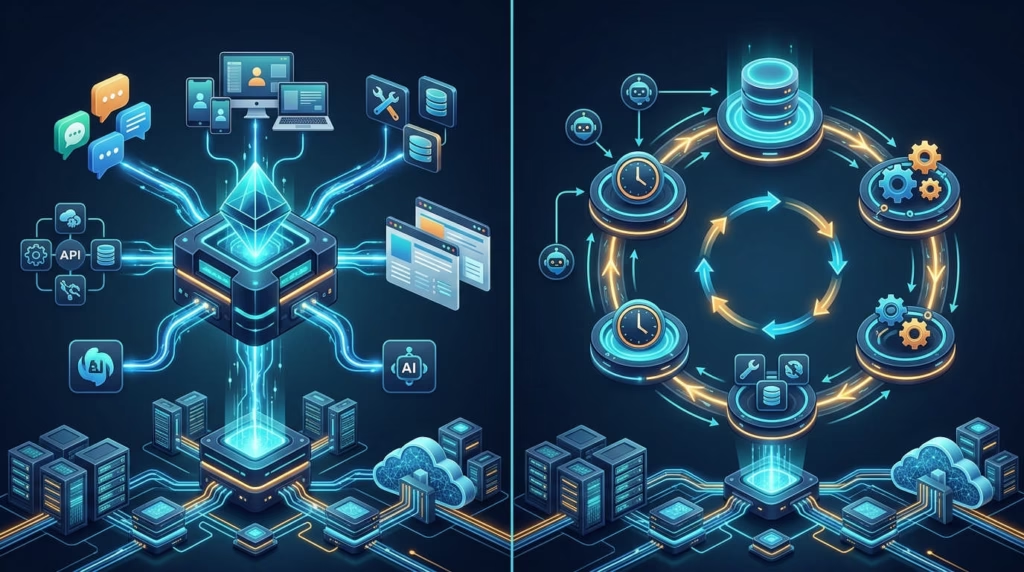
A long feature list can hide the real choice. These differences have a direct effect on setup, cost, and upkeep.
Gateway orchestration vs reusable learning
OpenClaw puts the Gateway at the center.
The Gateway handles sessions, messages, tools, nodes, hooks, and agent routing. That makes it a strong base for a chat-based assistant.
Hermes puts the task runtime at the center. It focuses more on completing work, storing useful steps, and reusing those steps later.
Why this matters for hosting:
- OpenClaw may need more channel setup.
- Hermes may create more saved task state.
- OpenClaw needs careful Gateway access rules.
- Hermes needs review of learned skills and memory.
Messaging breadth vs repeated task depth
OpenClaw is built around being easy to reach.
You might talk to one agent through Telegram. Another may reply in Slack. A third might process messages from Discord.
Hermes also supports chat channels. Yet its main value appears during recurring tasks.
For example, Hermes may suit:
- A daily research brief
- Weekly log reviews
- Repeat code checks
- Scheduled file processing
- A standard content workflow
OpenClaw may suit:
- A personal chat assistant
- Multi-channel support
- Team alerts
- Message-based commands
- Agents split by app or account
Multi-agent routing vs profiles and subagents
OpenClaw can route work to separate agents.
Each agent can have its own workspace, settings, and task. You can link an agent to a channel, account, or job.
Hermes offers profiles and subagents.
A profile has its own:
- Settings
- Model keys
- Memory
- Sessions
- Skills
- Scheduled jobs
- State database
Do not point two active Hermes processes at one profile. Both may write to the same memory and change each other’s state. Use a separate profile for each long-running agent.
Community extensions vs agent-created skills
OpenClaw benefits from a large skills and plugin market.
That gives you more ready-made options. It also creates more supply-chain risk. A skill can run commands, read files, or reach online services.
Hermes includes skills and can create new ones from past work. This reduces the need to search for a plugin each time.
Yet generated skills are not always good skills. They may save a weak method or keep an old step after your tools change.
In both cases:
- Read the skill before use.
- Limit its file access.
- Avoid unknown scripts.
- Test it away from live data.
- Keep working backups.
Remote device nodes vs execution backends
OpenClaw can keep its Gateway on a VPS and link to local devices.
A linked device can provide access to a screen, camera, browser, or local command. This supports a useful mixed setup.
For instance, the agent can stay online on a VPS. Your Mac can join only when a task needs local browser access.
Hermes uses several execution backends. You can run the main agent on one host and send command work somewhere else.
This gives developers more choice over where risky or heavy tasks run.
VPS and Server Requirements Compared
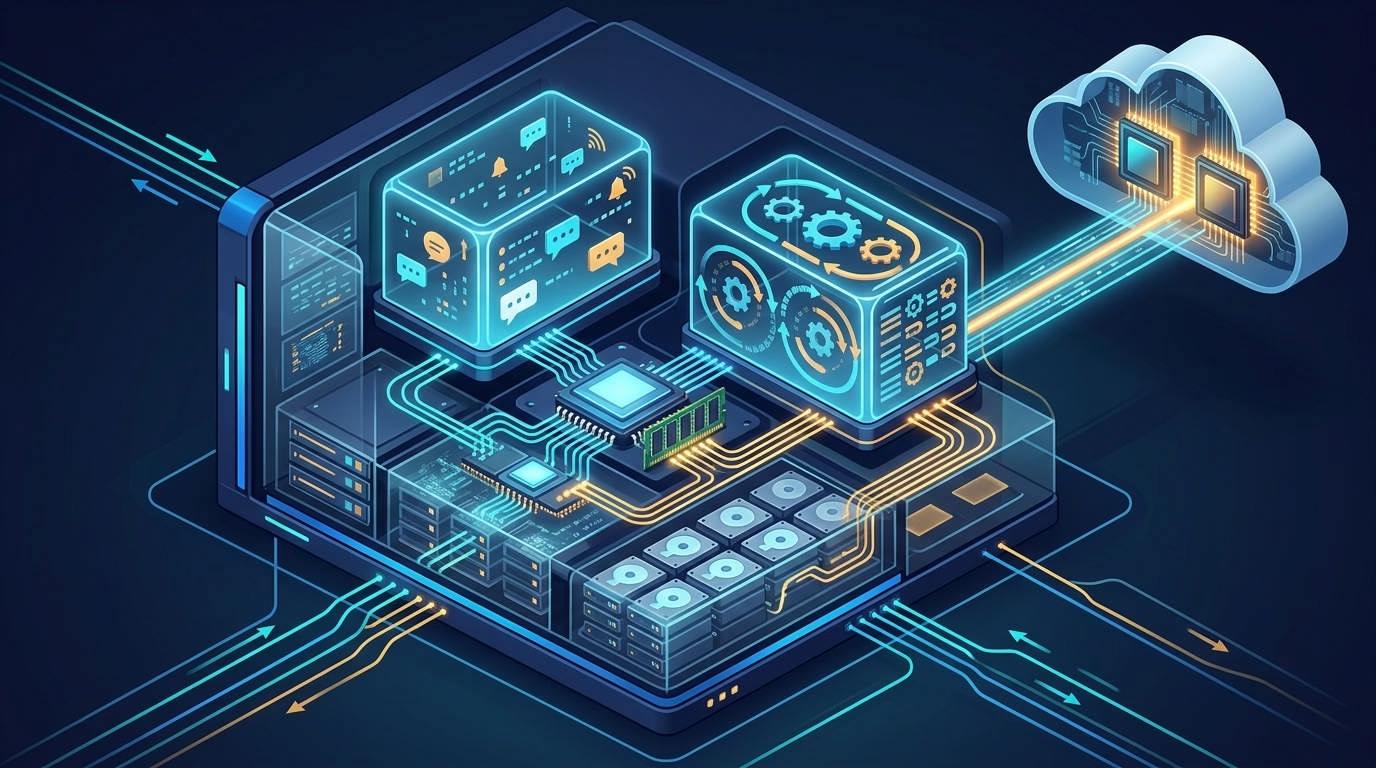
Both agents can run on a normal Linux VPS.
The hard part is choosing a plan. Neither product gives one official size that fits every workload.
Official requirements
OpenClaw lists supported operating systems and Node.js versions. The current install guide recommends Node 26, while other listed releases remain supported.
Hermes needs a Python environment or a container runtime. Its installer supports Linux, macOS, WSL2, native Windows, and Android through Termux.
Neither project sets a universal minimum for:
- RAM
- CPU cores
- Storage
- Monthly bandwidth
The needs change based on your model and tools.
Practical VPS sizing
Use these as planning ranges, not official rules.
Small test server
A small server may work for:
- One user
- One agent
- A remote model API
- One or two chat channels
- Light scheduled work
- No local model
A plan with 2 GB of RAM may run a basic test. It may feel tight with browsers, builds, Docker, or several tasks.
Balanced server
A balanced server gives you room for normal use.
A common starting point is:
- 2 CPU cores
- 4 GB of RAM
- 50 GB or more storage
- A current Linux release
- Regular backups
This is not an official minimum. It is a safer starting point for an always-on agent.
Higher-resource server
Consider 8 GB or more of RAM when you need:
- Several active agents
- Browser automation
- Large code builds
- Many chat channels
- Several Docker containers
- Long parallel tasks
- Local databases
- Heavy scheduled work
Local AI models can need far more. Their needs depend on model size and format.
Do you need a GPU?
You do not need a GPU when using a hosted model API.
In that setup, OpenAI, Anthropic, Google, or another provider runs the model. Your server runs the agent, tools, and saved state.
A GPU may help if you run the model on your own server. The agent itself does not set the GPU need. The chosen model does.
A small local model may run on a CPU. It may respond slowly. Larger models may need costly GPU memory.
Installation and Deployment Compared
Both projects offer quick installers.
That does not mean both are quick to put into safe production. Connecting tools, chat apps, backups, and remote access takes more work.
Local installation
OpenClaw offers an install script for macOS, Linux, and WSL2. It also provides a PowerShell path for Windows.
The installer can add Node.js and start the setup flow. You then choose a model and configure the Gateway.
Hermes also has shell and PowerShell installers. You can use pipx, Docker, or a desktop installer.
Its setup flow helps you connect a model, tool services, and messaging channels.
For a local test, both are quite easy. The harder work begins when the agent can use your files, browser, or command line.
Docker deployment
Docker keeps the agent in a container. This helps separate it from the host.
OpenClaw supports Docker deployment. You may need a custom image if your skills depend on extra command tools.
Do not install those tools by hand inside a live container. They may vanish after a restart. Add them to the image and rebuild it.
Hermes supports two Docker patterns:
- Run Hermes itself inside Docker.
- Run Hermes on the host but place command work in Docker.
The official Hermes image stores user data in a mounted folder. This keeps memory and settings safe when you replace the container image.
Linux VPS deployment
OpenClaw has a direct Linux VPS path.
The Gateway runs on the server and owns the main state. You reach it through chat, a web panel, SSH, or a private network.
Keep it bound to the local interface when possible. Use an SSH tunnel or Tailscale for remote access.
Hermes also works well on a Linux VPS. Its Docker Gateway can restart after a crash when you use the included supervisor and a Docker restart rule.
For either product:
- Create a dedicated system user.
- Block unused ports.
- Use key-based SSH access.
- Keep model keys out of scripts.
- Back up state and settings.
- Test updates before applying them.
Cloud and serverless options
OpenClaw can run on common cloud servers.
Its docs cover or mention providers such as AWS, Azure, Google Cloud, Hetzner, DigitalOcean, Fly.io, Railway, and others.
Hermes supports standard cloud servers too. It also has backends for short-lived workspaces and serverless jobs.
Those backends can help with bursty tasks. You keep the main agent on a small host and send heavy work elsewhere.
One-click VPS images
A one-click image saves install time.
It may include:
- The operating system
- Docker
- The agent
- A startup service
- A web panel
- Basic firewall rules
However, one-click does not always mean managed.
You may still handle:
- Agent updates
- Broken skills
- Model keys
- Channel setup
- Storage growth
- Monitoring
- Backup tests
- Security rules
Check the support details before you choose a provider.
Managed hosting
Managed agent hosting moves part of the upkeep to the provider.
Cloudways now offers OpenClaw and Hermes on dedicated managed instances. It handles server setup, core patching, daily backups, firewalls, SSL, and platform upkeep. You bring your own model keys, so model use is billed by the model provider.
This can suit you if:
- You dislike server upkeep.
- You need an agent online all day.
- You want backups handled for you.
- You do not want to manage Docker.
- You still want agent-level control.
It will not remove all work. You still own your prompts, tools, skills, data, channels, and model bill.
Cloudways offers several server sizes. Its listed tiers start with 1 CPU core and 2 GB of RAM. Higher tiers add more memory, storage, and bandwidth. Prices can change, so check the current offer and later rate before launch.
If you also host websites there, this Cloudways pricing guide explains its standard cloud plans, add-ons, and billing model. Managed AI Agent plans are a separate product, so compare the correct plan type.
Performance and Resource Usage
There is no fair public test proving that one agent always uses less RAM.
Any strong claim needs a fixed test. The same model, tools, channels, jobs, and server must be used.
What is officially known?
OpenClaw recommends Node 26 in part due to faster startup and lower memory use than Node 24. This compares Node versions, not OpenClaw against Hermes.
OpenClaw also warns that a Docker build may fail with exit code 137 on a low-memory server. That shows the build lacked memory. It does not prove the live Gateway needs the same amount.
Hermes states that it can run on a low-cost VPS. Yet it does not give a firm RAM minimum or a standard load test.
So, the honest verdict is:
OpenClaw versus Hermes resource use is not reliably documented.
What affects resource use?
Your setup matters more than the product name.
The biggest factors include:
- Number of active sessions
- Number of chat channels
- Browser use
- Local AI models
- Parallel agents
- Subagents
- Docker containers
- Code builds
- Tool output size
- Saved session history
- Vector or full-text indexes
- Scheduled job rate
- Failed task retries
A simple Telegram bot may use little power. Five agents running browsers and code builds may need far more.
Proposed benchmark box
If server size matters, test both agents yourself.
Use the same:
- Linux version
- VPS plan
- Model provider
- AI model
- System prompt
- Task list
- Browser workflow
- Job schedule
- Number of users
- Test length
Track:
- Idle RAM
- Active RAM
- CPU peaks
- Disk growth
- Task time
- Restarts
- Failed jobs
- API tokens
- Cost per completed task
Run the test for at least one week. One short command tells you very little about long-term use.
Messaging, Tools, Skills, and MCP
Both agents can do more than chat.
They can use tools, read files, run commands, browse sites, and reach outside services. That power creates value and risk.
Messaging platform support
OpenClaw has the stronger messaging focus.
Its Gateway can connect several channels at once. You can route messages to different agents based on the channel, account, or task.
This can help with:
- Team support bots
- Personal assistants
- Alerts and reports
- Remote commands
- Separate private and work agents
Hermes also has a messaging Gateway. It supports common chat services and voice features in some channels. Its design still leans more toward task work than channel control.
Platform support can change fast. Check the live channel pages before you rely on a less common app.
Tools and browser use
OpenClaw tools can work with:
- Files
- Commands
- Browsers
- Webhooks
- Scheduled jobs
- Linked devices
- External services
Its node system can connect a cloud Gateway to a local phone or computer.
Hermes provides many tool groups. These cover files, web tasks, browsers, terminals, MCP servers, and other work. It also offers several browser and command backends.
The key question is not which has more tools. Ask where the tool runs and what it can reach.
Skills and extensions
A skill is a saved set of task rules.
OpenClaw often gets skills from its own market or project folders. This gives you broad choice and quick setup.
Hermes can also load skills. Its main twist is that the agent can create and refine skills from completed work.
That can save time on repeat jobs. It can also preserve a bad method if no one checks it.
Use version control for important skills. This lets you inspect and undo changes.
MCP support
MCP means Model Context Protocol. It is a standard way to connect agents with tools and data.
Both projects support MCP.
Hermes gives clear controls for:
- MCP server setup
- Tool filtering
- Dynamic tool loading
- Credential handling
- Cache refresh
- Approval rules
OpenClaw can import and use MCP server settings. It also supports local MCP use in parts of its platform.
MCP does not make unknown tools safe. Treat each server like an app with real access rights.
Memory, Learning, and Automation
Memory is one of the largest differences between these projects.
Both remember past work. Hermes makes learning and skill reuse a larger part of its pitch.
Persistent memory
OpenClaw stores state for sessions, agents, and workspaces.
This helps an agent continue tasks over time. It also means the Gateway state and workspace need backups.
Hermes stores sessions in SQLite and uses search to find past text. Memory, user details, skills, and jobs live within the selected profile.
Persistent memory is not the same as perfect memory.
An agent can still:
- Save the wrong fact
- Miss an old note
- Use stale context
- Give too much weight to bad data
- Carry a mistake into future tasks
Review important memory files from time to time.
Skill creation and refinement
Hermes can turn a useful process into a skill.
Imagine you ask it to collect five reports, clean the data, and build a summary. After the task works, Hermes may save the process for later use.
This can make repeat work faster. It may also reduce the need to explain each step again.
However, “self-improving” needs context. It does not mean the base AI model trains itself on your server. It means the agent can save and refine task instructions, memory, and skills.
OpenClaw can also build rich workflows. Yet it leans more on installed skills, plugins, tools, and agent setup.
Cron and scheduled workflows
Both agents can run jobs on a schedule.
You might schedule:
- Morning reports
- Inbox checks
- Site health checks
- File backups
- Research updates
- Content checks
- Weekly code reviews
Headless jobs need extra care. No person may be present when a dangerous command appears.
Hermes has a separate approval policy for scheduled jobs. You can block risky commands by default.
OpenClaw supports cron jobs, hooks, and other automation paths. Limit each job to the tools it needs.
Multi-agent and subagent work
OpenClaw suits long-lived agent teams.
You can create several agents with distinct workspaces and roles. The Gateway can route requests to the right one.
Hermes can use subagents within tasks. It also supports separate profiles for long-running roles.
The difference is subtle:
- OpenClaw focuses on routing and control.
- Hermes focuses on task split and execution.
Both can support advanced systems. OpenClaw feels more natural when channels define the team. Hermes feels more natural when tasks define the team.
Failure recovery and human approval
A 24/7 agent will fail at times.
The model may time out. A website may change. A token may expire. A tool may return bad data.
A safe setup should:
- Limit retries
- Save logs
- Track failed jobs
- Require approval for risky acts
- Send failure alerts
- Keep a restore point
- Avoid endless model loops
Hermes has clear command approval controls. OpenClaw provides health tools, security audits, and repair commands.
Neither removes the need for human review.
Security and Privacy
Self-hosting gives you more control. It does not give you automatic safety.
Both agents can use browsers, files, commands, and private keys. A weak setup can expose far more than a normal chatbot.
Gateway exposure and authentication
OpenClaw assumes one trusted operator group per Gateway.
It is not meant to separate hostile users on the same Gateway. If two groups do not trust each other, use separate Gateways and server users. Separate servers are even safer.
OpenClaw can use:
- Token access
- Password access
- Trusted proxy access
- Chat allowlists
- Private network access
It blocks some unsafe remote binding choices when no login is set. Its normal Gateway port is often 18789. Do not expose it without a clear need.
Hermes Gateway mode may expose port 8642 for its API and health check. You do not need to publish that port if you only use chat channels.
Tool permissions and command execution
Give the agent the least access it needs.
Do not run it as the main root user. Do not mount your whole home folder into its container.
Better choices include:
- A dedicated server user
- A dedicated Docker volume
- Read-only mounts
- A narrow work folder
- Command approval
- A list of allowed tools
- Separate test and live agents
Hermes can ask for approval before dangerous commands. OpenClaw can restrict tool access and run sessions in a sandbox.
Messaging-user authorization
A chat bot can become a remote command panel.
That is helpful, but risky. A stranger should not be able to ask your agent to read files or run code.
Use:
- Direct-message pairing
- User allowlists
- Group allowlists
- Separate bots for public rooms
- Separate agents for work and private use
Do not place a tool-rich personal agent in a public group.
Docker and backend isolation
Docker reduces access to the host. It does not create perfect safety.
A poorly set container can still expose:
- Host files
- Docker control
- Network services
- Secret keys
- Shared folders
- Other containers
Hermes can run command work in a persistent Docker sandbox. OpenClaw also supports sandbox settings and container deployment.
Use a non-root user inside the container. Avoid mounting the Docker socket unless you fully trust the agent.
Skills, plugins, and supply-chain risk
Skills and plugins contain instructions or code from outside sources.
Before installing one:
- Check who built it.
- Read its files.
- Review install scripts.
- Check required access.
- Test it in isolation.
- Pin a known version.
- Watch for later changes.
A large skill market offers more choice. It also gives attackers more places to hide harmful code.
Known advisories
OpenClaw has published security advisories.
For example, an earlier Canvas access flaw affected versions through 2026.2.17. It was fixed in 2026.2.19. Many other advisories have been published since then.
This does not prove that every OpenClaw setup is unsafe. It does show that fast updates matter.
A fixed flaw remains risky if your server still runs the old release.
No current Hermes flaw should be named without a matching official advisory. Claims from social posts alone are not enough.
Secure VPS checklist
Before you connect real data:
- Use a dedicated VPS.
- Create a non-root agent user.
- Turn off password-based SSH.
- Restrict inbound ports.
- Use a firewall.
- Keep dashboards private.
- Add chat allowlists.
- Limit file access.
- Block risky commands.
- Encrypt backups.
- Rotate model keys.
- Test your restore process.
- Apply patched releases.
- Review skills before use.
- Watch logs and failed jobs.
Hosting Cost vs AI Usage Cost
The server bill is only one part of the cost.
For active agents, model use can cost more than hosting.
VPS cost
A VPS bill may include:
- CPU and RAM
- Storage
- Bandwidth
- Backup space
- Extra IP addresses
- Monitoring
- Taxes
- Support
Some providers show a low first-term rate. Check the renewal price and payment term.
Do not select a plan only because a provider lists it under OpenClaw or Hermes. The plan may be a sales package, not a tested requirement.
Managed hosting cost
Managed hosting tends to cost more than a bare VPS. You pay for less server work.
Cloudways currently lists four Managed AI Agent tiers. They range from a 1-core, 2 GB plan to an 8-core, 16 GB plan. Promotional prices and end dates may apply.
The service includes infrastructure tasks such as:
- Server setup
- Agent provisioning
- Daily backups
- Firewall management
- SSL management
- Platform updates
- Basic server upkeep
You remain responsible for:
- Model API keys
- Model charges
- Agent prompts
- Skills
- Workflows
- Channel access
- Tool permissions
- Business data
That split is important. Managed hosting does not mean that the provider manages your agent’s decisions.
Model/API cost
OpenClaw and Hermes act as clients for an AI model.
You may pay for:
- Input tokens [text sent to the model]
- Output tokens [text returned by the model]
- Cached context
- Search calls
- Embeddings
- Images
- Speech
- Browser tools
A short chat costs little. An agent loop can make many model calls for one task.
Costs rise with:
- Long memory context
- Large tool results
- Frequent checks
- Failed retries
- Subagents
- Long research jobs
- High-end models
- Large scheduled batches
Set model and task limits before you leave the agent online.
Optional service cost
Your final bill may also include:
- Off-site backups
- Log storage
- Uptime checks
- Search APIs
- Proxy services
- Browser services
- Email delivery
- Voice processing
- Image generation
- Local GPU rental
- Extra storage
Track cost per completed task. A cheap model that fails often can cost more than a strong model that finishes sooner.
Maintenance and 24/7 Reliability
An agent can run all day only if the server and process stay healthy.
You need updates, logs, backups, and a restart plan.
Updating
OpenClaw is moving fast. Updates may add features, change settings, or fix security flaws.
Use the stable update channel for live work. Avoid updating just before an important scheduled job.
Hermes also changes often. If you use Docker, pull the new image and replace the container while keeping the data volume.
For both agents:
- Back up first.
- Read the release notes.
- Test on a spare profile.
- Run health checks.
- Confirm chat access.
- Test one key workflow.
- Keep a rollback path.
Health checks and logs
OpenClaw provides status, health, logs, and doctor commands.
The doctor can find broken settings, state issues, channel faults, and some migration problems. Its security audit can also flag weak access rules.
Hermes includes a doctor command for install and setup checks. Its Gateway also provides a health endpoint when that service is enabled.
Send alerts somewhere outside the agent. If the agent fails, it may not be able to report its own failure.
Persistent volumes and backups
Back up the files that hold identity and state.
For OpenClaw, this includes:
- Gateway settings
- Credentials
- Agent workspaces
- Sessions
- Memory files
- Skills
- Plugin settings
For Hermes, this includes:
- Configuration
- Environment keys
- Profiles
- Memory
- Sessions
- Skills
- Cron jobs
- State databases
A backup is not proven until you restore it.
Test recovery on a fresh server. Confirm that the agent starts, finds its memory, and connects to its channels.
Crash recovery
Use a service manager or Docker restart rule.
A process restart should not erase memory. That requires persistent storage outside the replaceable container.
The official Hermes image uses a supervisor inside the container. It can restart the Gateway after a crash. Docker can then restart the full container if needed.
OpenClaw can run as an installed daemon. Its health and doctor tools help find startup or Gateway faults.
Configuration migration and rollback
Settings can change between releases.
Do not edit live configuration without a backup. Save the last working version in a private version-control system.
Never commit API keys to a public repository.
A good rollback plan includes:
- The prior container image
- The prior config
- A state backup
- A list of installed skills
- A copy of environment keys
- A tested restore command
What Real Users Report
Community reports help reveal pain points. They do not replace tested facts.
Treat each report as a clue, not proof.
OpenClaw patterns
Users often praise OpenClaw for:
- Broad messaging support
- Agent routing
- Community skills
- Model choice
- Remote access
- Fast project growth
Common complaints include:
- Updates breaking a working setup
- Complex channel settings
- Memory that feels uneven
- Plugin setup problems
- Docker build issues
- The time needed for self-hosting
These reports vary by version and workload. OpenClaw’s fast release pace can make an old complaint less useful.
Hermes patterns
Users often praise Hermes for:
- Straightforward defaults
- Persistent memory
- Reusable skills
- Repeat task work
- Checkpoints and rollback tools
- Flexible task backends
Common concerns include:
- Generated skills changing human work
- Overly positive self-checks
- Fewer channel options
- A shorter history in live use
- Less proof of long-term stability
- Hype running ahead of evidence
These are recurring community themes, not lab results.
Claims that remain anecdotal
The following claims are not proven across normal use:
- Hermes always uses less RAM.
- OpenClaw is always more stable.
- Hermes always learns from each task.
- OpenClaw memory never works well.
- One agent costs less in every case.
- One agent is always safer.
- A 2 GB VPS suits every workload.
Use your own task test before making a long-term choice.
Which One Should You Host?
The right choice depends on the job.
Do not pick based on GitHub stars or social buzz alone.
Best for beginners
Result: Too close to call for self-hosting.
Both have quick installers. Both become harder once you add tools, chat apps, and remote access.
OpenClaw may feel easier if you start with one chat channel. Hermes may feel easier if you start in the command line with one task.
Managed hosting changes the result. It removes much of the server work, so your choice can focus on the agent itself.
Best for developers
Result: It depends on the project.
Choose OpenClaw if you are building:
- Messaging bots
- Agent routing
- Multi-channel workflows
- Device-linked assistants
- A central agent control system
Choose Hermes if you are building:
- Repeat task agents
- Command-heavy workflows
- Research systems
- Skill-learning tools
- Jobs split across several backends
Hermes gives you more documented backend choices. OpenClaw gives you a stronger messaging control layer.
Best for messaging
Winner: OpenClaw.
Messaging is part of its core design.
The Gateway connects channels, sessions, users, and agents. This gives you more direct control over message routing.
Hermes supports key chat apps. Yet messaging is a route into the agent, not its main design goal.
Best for repeated automation
Winner: Hermes.
Hermes is built to preserve task methods and reuse them.
This can help with:
- Daily reports
- Repeat research
- File checks
- Code review tasks
- Scheduled data work
You must still review saved skills and memory.
Best for a small VPS
Result: Not enough evidence.
Both can run on low-cost servers when you use remote model APIs.
Neither publishes a fair minimum-RAM benchmark. Browser work, Docker, and parallel jobs can change the result.
Start small for a test. Move up when you see memory pressure, slow jobs, or failed builds.
Best for local models
Result: Tie.
Both can connect to local model services.
The model will shape the hardware need. A large model may require much more memory than either agent.
Pick OpenClaw if chat access matters more. Pick Hermes if task execution and saved skills matter more.
Best for privacy-conscious users
Result: Tie, with different risks.
Both can keep agent state on your own server.
Yet prompts may still leave your server if you use a remote model API. Search, voice, and browser tools may also share data with outside services.
OpenClaw needs careful Gateway and channel controls. Hermes needs careful command, file, and memory controls.
Best for minimum maintenance
Winner: Neither when manually hosted.
Both need:
- Updates
- Backups
- Access control
- Log checks
- Key rotation
- Skill review
- Failure alerts
A managed platform is the better fit if low upkeep is your main goal.
Cloudways handles the server layer for both. You still manage the agent’s behavior and connected services.
Best for advanced multi-agent setups
Winner: OpenClaw for long-lived routed teams.
OpenClaw is a good fit when agents have fixed roles and channels.
Hermes can also use profiles and subagents. It may fit better when helper agents appear within a larger task.
Your choice depends on whether the team is built around channels or jobs.
Migrating Between OpenClaw and Hermes
You do not need to treat the choice as permanent.
Both projects now provide migration paths. Still, no migration can promise full feature matching.
OpenClaw to Hermes
Hermes provides a built-in migration command.
It can preview the changes before writing them. It can also create a backup and move compatible data.
That may include:
- Persona files
- User details
- Long-term memory
- Daily memory
- Workspace rules
- Skills
- Some model settings
- Some channel settings
- API keys, when you allow it
Secrets do not move by default. You must request secret migration. This is a good safety choice.
Hermes to OpenClaw
OpenClaw also provides a Hermes import path.
It can bring over compatible:
- Model settings
- Provider settings
- MCP servers
- Workspace files
- Memory files
- Skills
- Credentials, with consent
Some Hermes-only settings need manual review. OpenClaw may record them without applying them.
What may need manual review
Check these items after either move:
- Messaging accounts
- Bot tokens
- Model fallbacks
- Custom endpoints
- Browser settings
- Scheduled jobs
- Skill paths
- File permissions
- MCP secrets
- Tool rules
- Memory format
- Multi-agent routing
- Profile structure
Run a dry migration first. Keep the old agent offline but intact until the new one passes your tests.
Final Verdict
For most messaging-heavy setups, OpenClaw is the better overall choice. Its Gateway makes chat access, routing, and long-lived agents easier to organize.
For repeat tasks, Hermes is the stronger fit. Its memory, profiles, task backends, and reusable skills suit work that follows the same path each day.
Here is the simple choice:
- Choose OpenClaw for chat apps, routing, and agent teams.
- Choose Hermes for repeat work, task memory, and skill reuse.
- Choose managed hosting if server upkeep is the main problem.
- Choose self-hosting if you want full server control.
- Choose local hosting if you accept downtime and need local access.
The final OpenClaw vs Hermes hosting decision should start with your workload. Do not start with a VPS plan, star count, or feature total.
Choose the agent that matches the job. Then choose the hosting model that matches your time, skill, and risk level.